Practical Guide to Reconnaissance
Reconnaissance: A Guide for Web App Security Testing
Reconnaissance is crucial. It’s the phase where testers identify a target’s digital footprint—subdomains, endpoints, URLs, technologies, and other surface-level exposures that can lead to deeper vulnerabilities.
What You’ll Learn
In this article, I will share some simple ways to speed up your reconnaissance of a target. This guide is designed to help beginners and intermediate-level security practitioners build a field-tested methodology for the reconnaissance phase of security assessments. It focuses on techniques proven effective in identifying exposed assets, services, and potential attack vectors across dynamic environments, including production, staging, and externally-facing systems. Rather than abstract theory, the content provides actionable steps applicable to both offensive engagements and vulnerability research.
What You’ll Need
You’ll need a prepared operating system, either Windows, Linux, or Mac. Ensure you have the prerequisites: Python (preferably both Python3 and Python2), Go, NodeJS, Git, and npm installed on your machine.
Tools / CLI
List of tools/CLI that we need for your recon.
Or you can go to this link: KingOfBugBountyTips
| Tools | CLI |
|---|---|
| Shodan | anew |
| IntelX | amass |
| Censys | subfinder |
| crt.sh | assetfinder |
| FoFa | dnsx |
| Zap Proxy | massdns |
| SecurityTrails | puredns |
| URLScan | httpx |
| naabu | |
| hakrawler | |
| waybackurls | |
| gau | |
| nuclei | |
| Short Name Scanner (IIS) | |
| anew | |
| qsreplace | |
| chaos | |
| notify | |
| ffuf | |
| gowitness | |
| gobuster | |
| dirbuster | |
| LinkFinder | |
| SecretFinder | |
| uro | |
| Arjun | |
| Corsy | |
| Param | |
| gf | |
| httprobe | |
| gf pattern | |
| feroxbuster | |
| urldedupe | |
| DorkEye | |
| S3BucketMisconf | |
| java2s3 |
I won’t be discussing all CLI and tools in this topic. I’ll only cover the ones I frequently use during my recon phase. However, it’s much better if you install all the tools mentioned.
The Recon Phase
We will start our recon phase using Shodan.
Shodan is a search engine that scans and indexes internet-connected devices, including web servers, APIs, industrial control systems, webcams, and IoT devices. Unlike Google, which indexes content, Shodan indexes services, ports, banners, and device metadata.
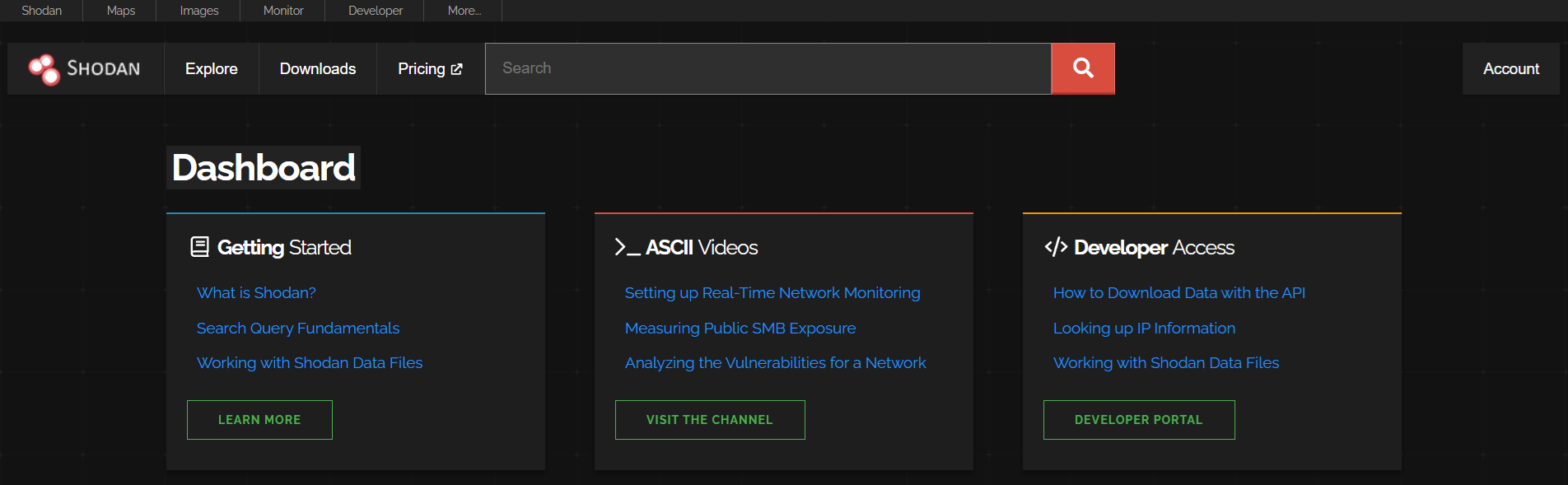
This makes it incredibly useful during the recon phase, especially when you want to:
Identify exposed services and ports
Discover forgotten or shadow assets
Detect misconfigured devices or applications
Monitor internet-facing infrastructure
🧪 Practical Use Cases
| Use Case | Example |
|---|---|
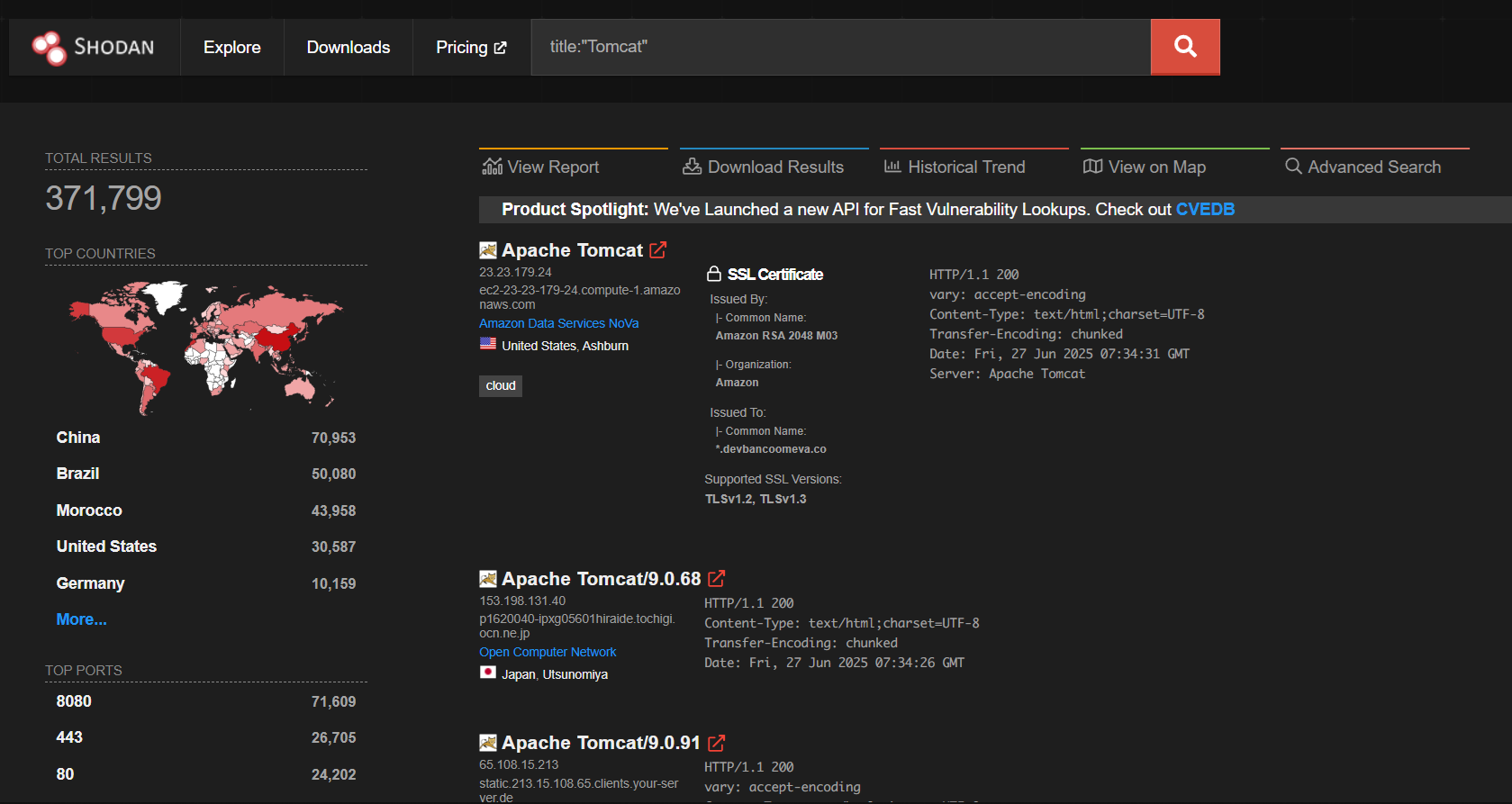
| Find exposed Web Server | title:"Tomcat" |
| Discover staging environments | hostname:"staging.target.com" |
| Check expired/self-signed SSL | ssl.cert.expired:true |
| Identify old tech stacks | product:"Apache" version:"2.2" |
| Map org-wide IPs | org:"Target Inc" or ASN lookup |
| Passive port scan | hostname:"api.target.com" |
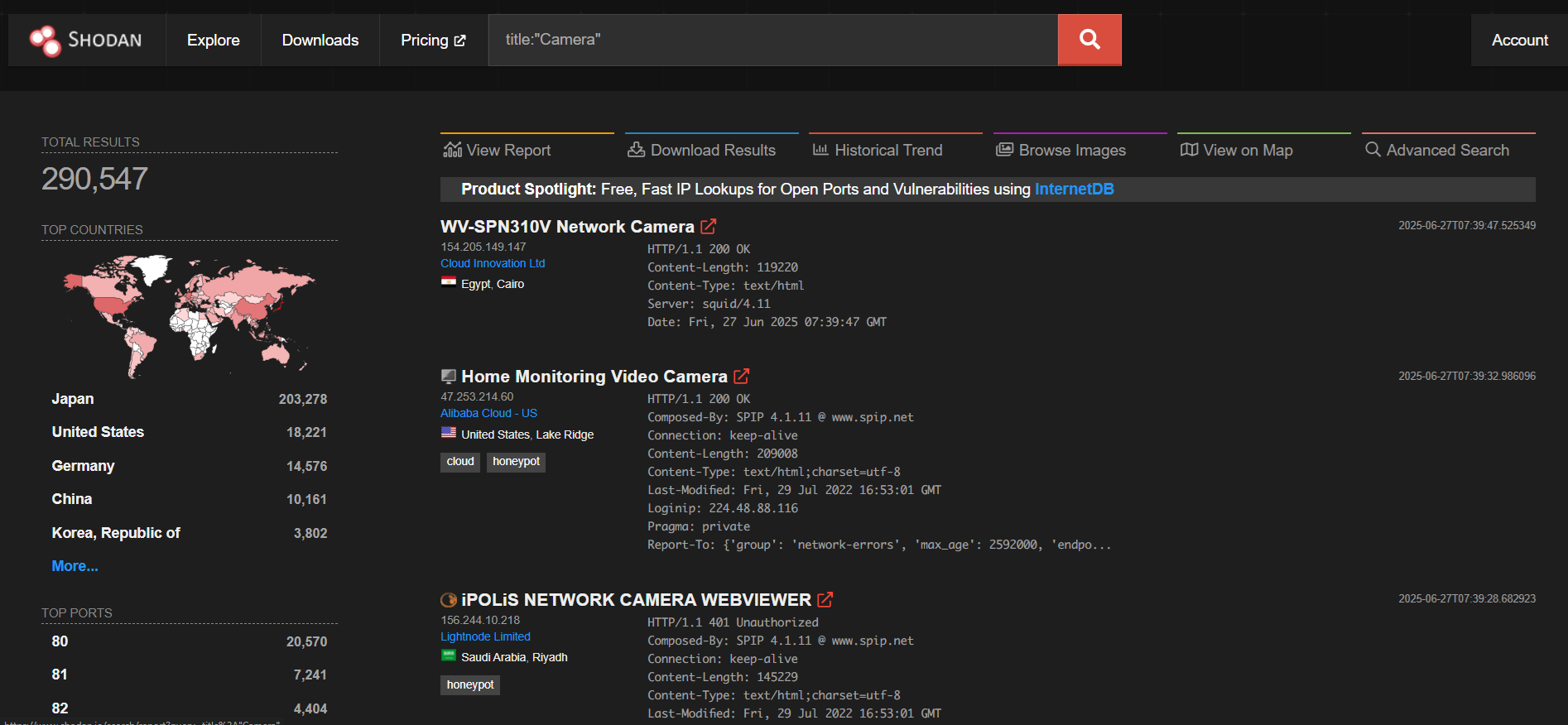
| IoT leakage | product:"webcamxp" or title:"Camera" |
| 🔐 OffSec Tip
Shodan queries are passive — they don’t touch the target. Ideal for stealth recon or
checking scope boundaries. However, some results may be outdated, so verify findings before exploitation.
You can also search for exposed CCTV:
browse on image tab and you’ll some footage: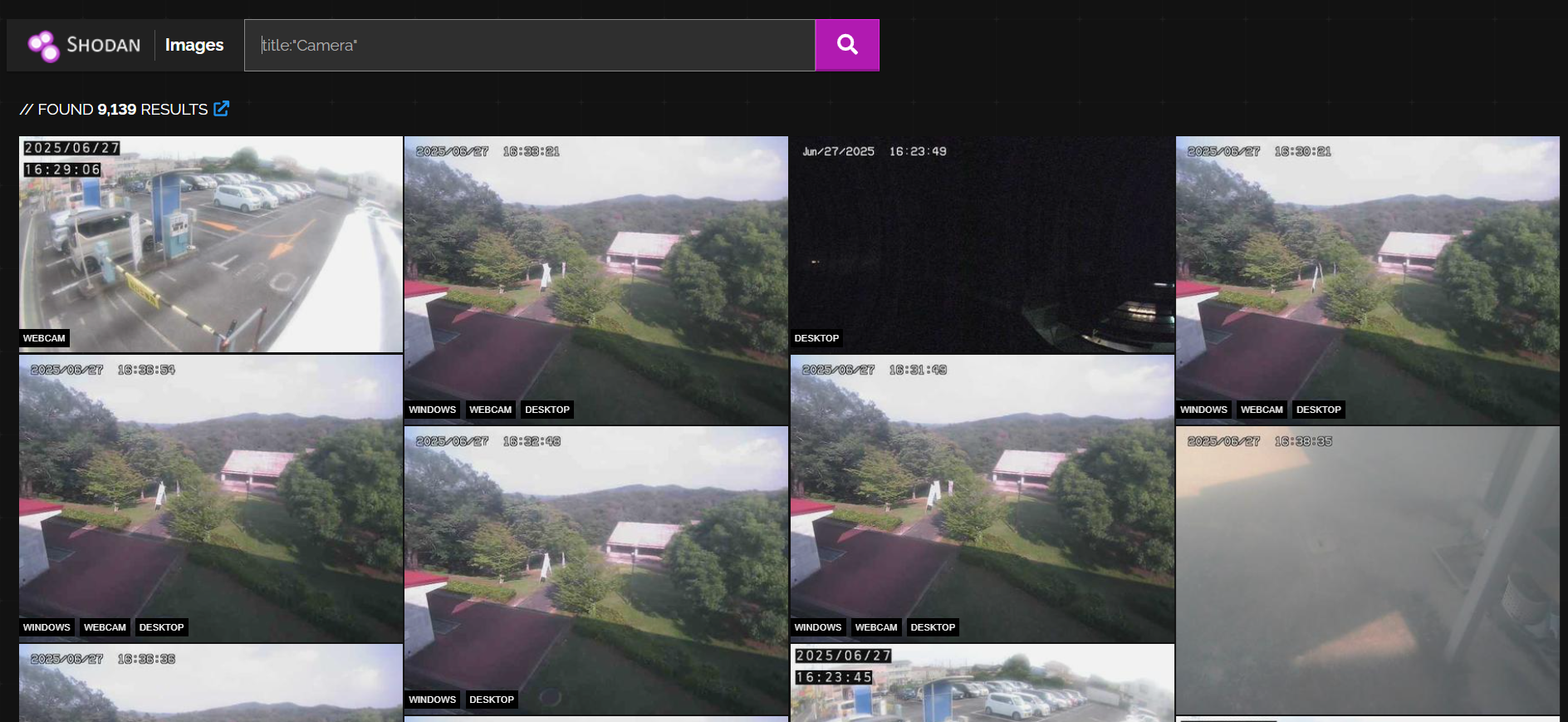
Alternatively we can use shodan cli. Right on your terminal:
1 | |
Once installed shodan cli, you need to setup your API token. You can find your own API token on their website just create an account:
1 | |
Command Overview
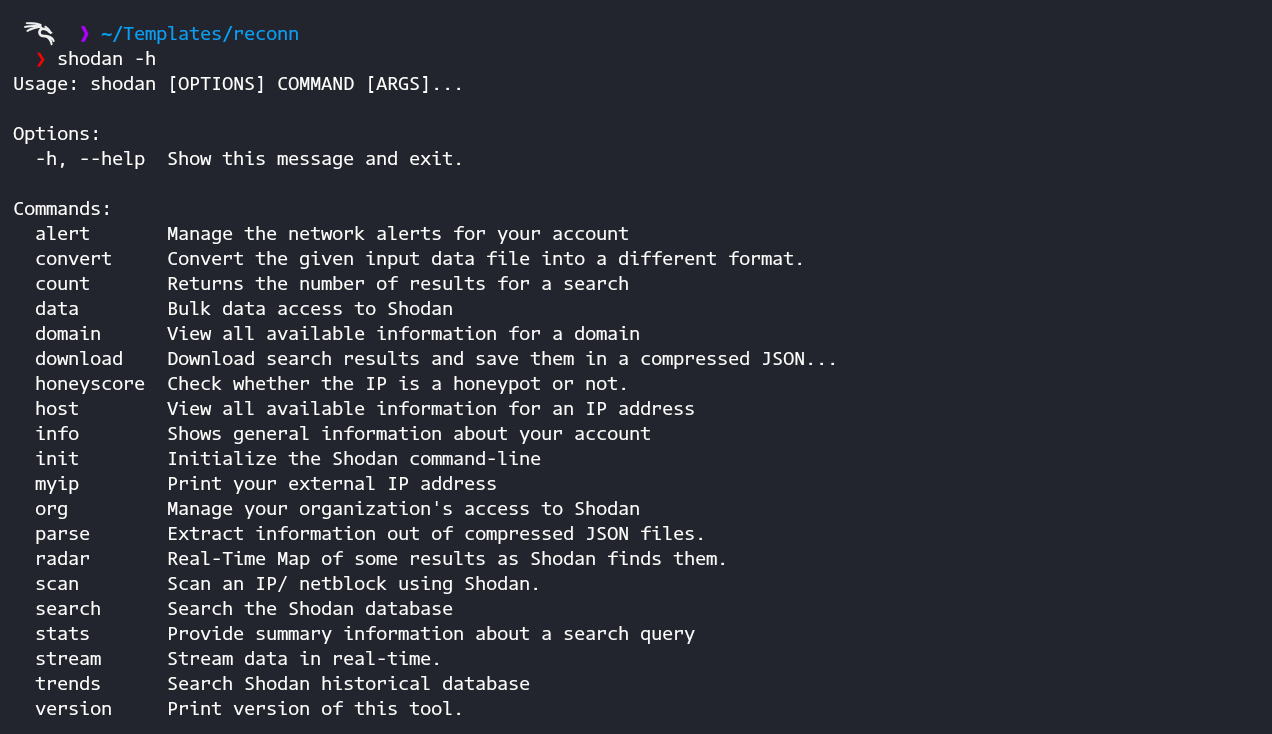
Searching for your Target
-> For example we will targeting Yandex. On your terminal run:
1 | |
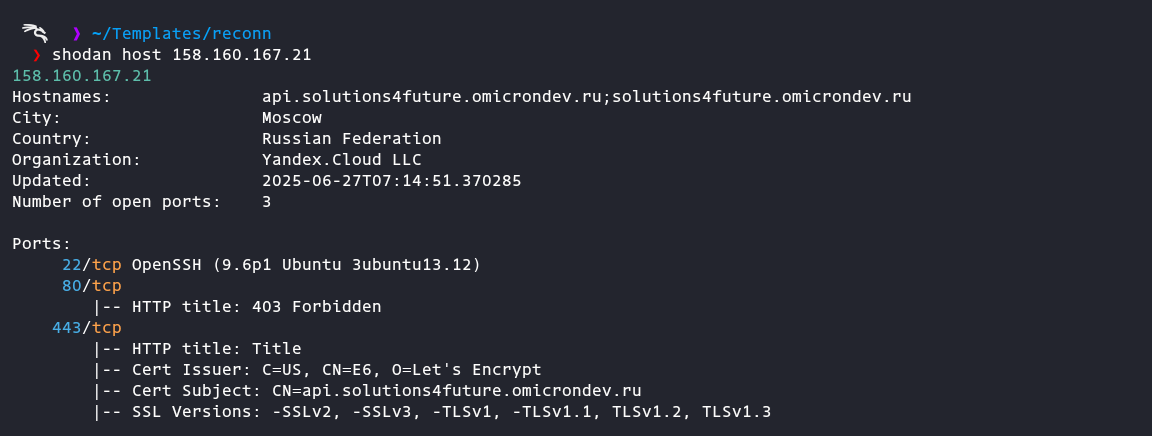
Search for Login page
1 | |
then you will get another IP own by Yandex
1 | |
Now we will move to FoFa
| FOFA is another powerful recon tool — often compared to Shodan
(Fingerprint of All) is a cyber asset search engine, similar to Shodan and Censys, used for finding internet-facing systems and identifying their technologies.
Let’s try the basic FoFa search syntax:
1 | |
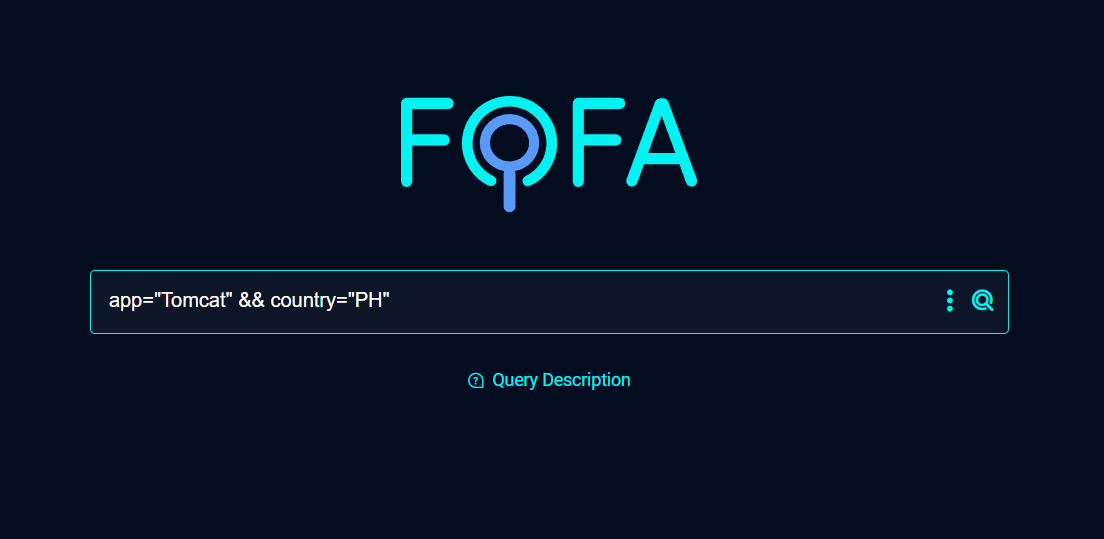
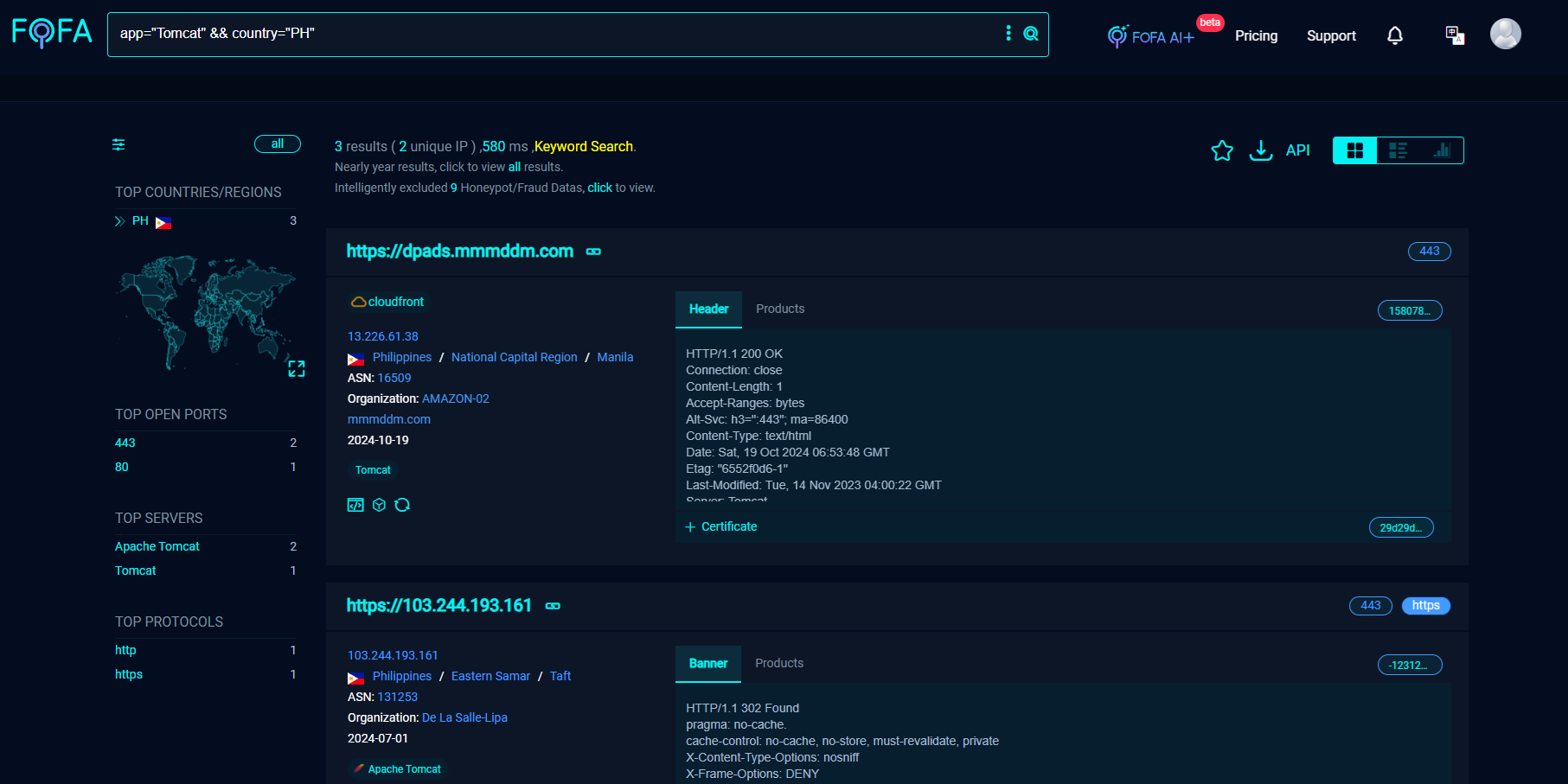
Other some basic query examples:
By Domain:
1 | |
Searching for Login:
1 | |
Searching for used backend:
1 | |
Searching for Title:
1 | |
Searching for Sub-domains:
1 | |
Searching for Web App:
1 | |
Next, let’s play with URLs:
Lets go from basics. The inurl operator helps refine Google searches by filtering results that contain specific words or patterns within the URL. With the power of Google dorks for reconn phase, this is useful for finding.
Example, let’s say:
1 | |
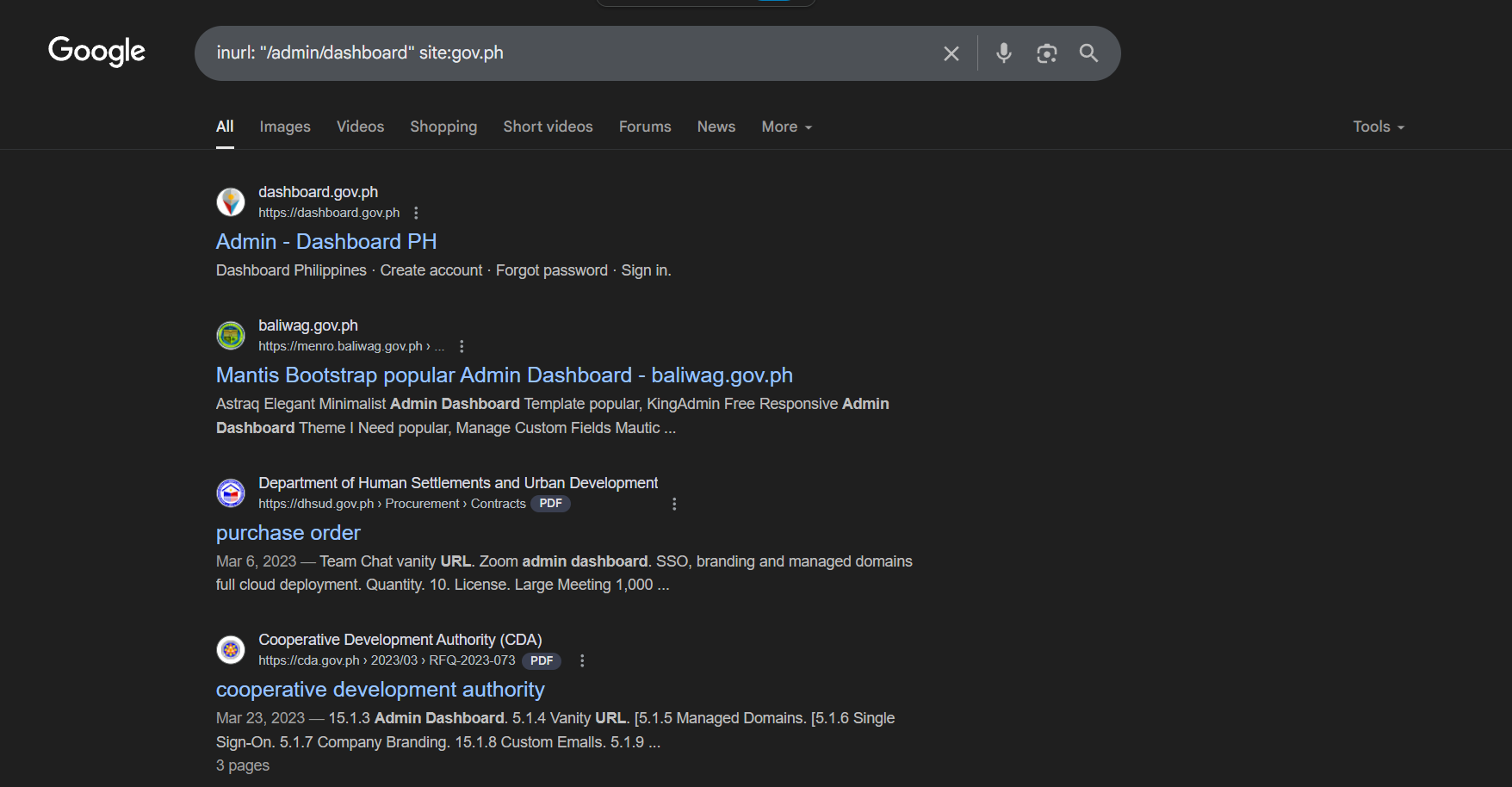
Results will not only give with dashboard title, sometimes it gives some sensitive info like this:
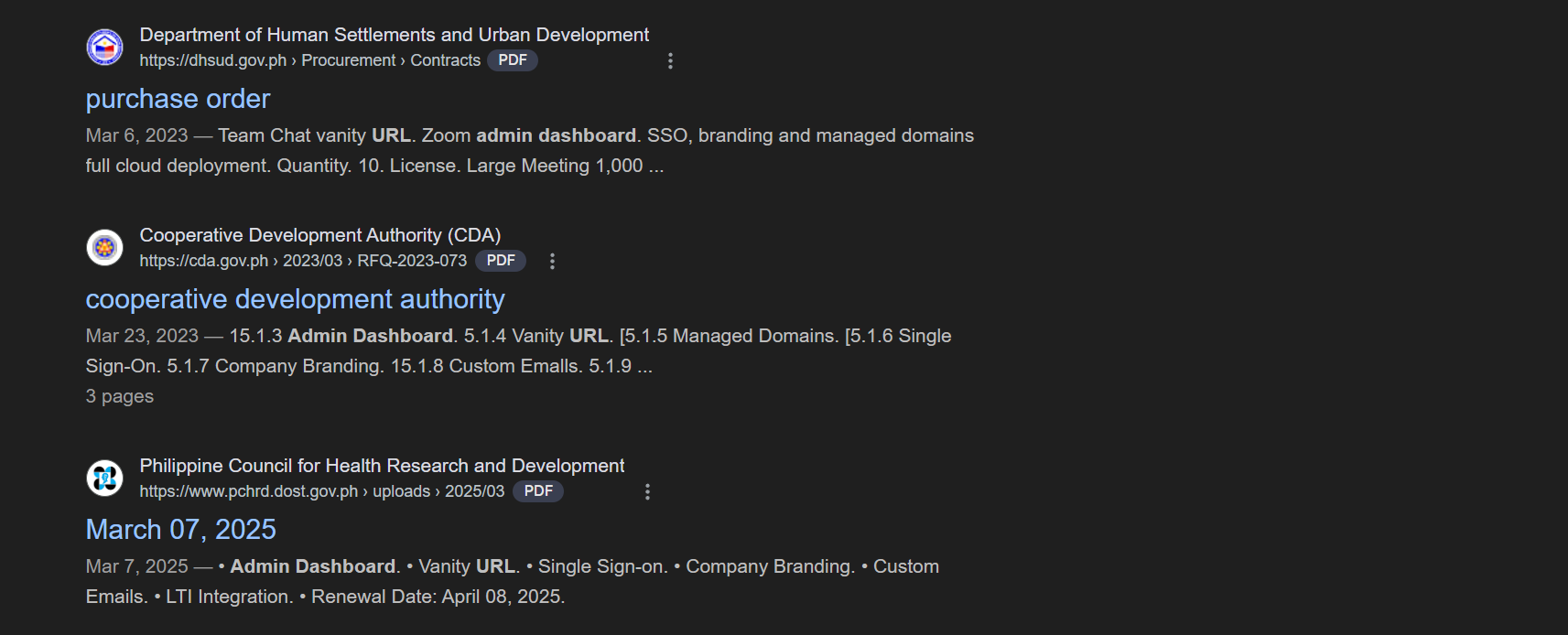
By analyzing commonly used paths across websites, we gain initial insight into potential entry points. However, for greater depth and precision, combining multiple dorks allows for more effective enumeration. Shifting our focus toward sensitive or context-specific paths—especially within web applications and APIs can significantly increase the likelihood of uncovering hidden endpoints or exposed files that may contain critical, overlooked information.
URLScan
Playing with URLs we will use urlscan.io. A powerful tool for recon, OSINT, and threat hunting. It lets you search and explore historical scans of URLs, subdomains, IPs, and even JavaScript files.
Basic query in URLScan
🔹 By Domain or Subdomain:
1 | |
🔹 By Hostname (e.g., subdomain):
1 | |
🔹 By URL Contents (Path, Query, etc.):
1 | |
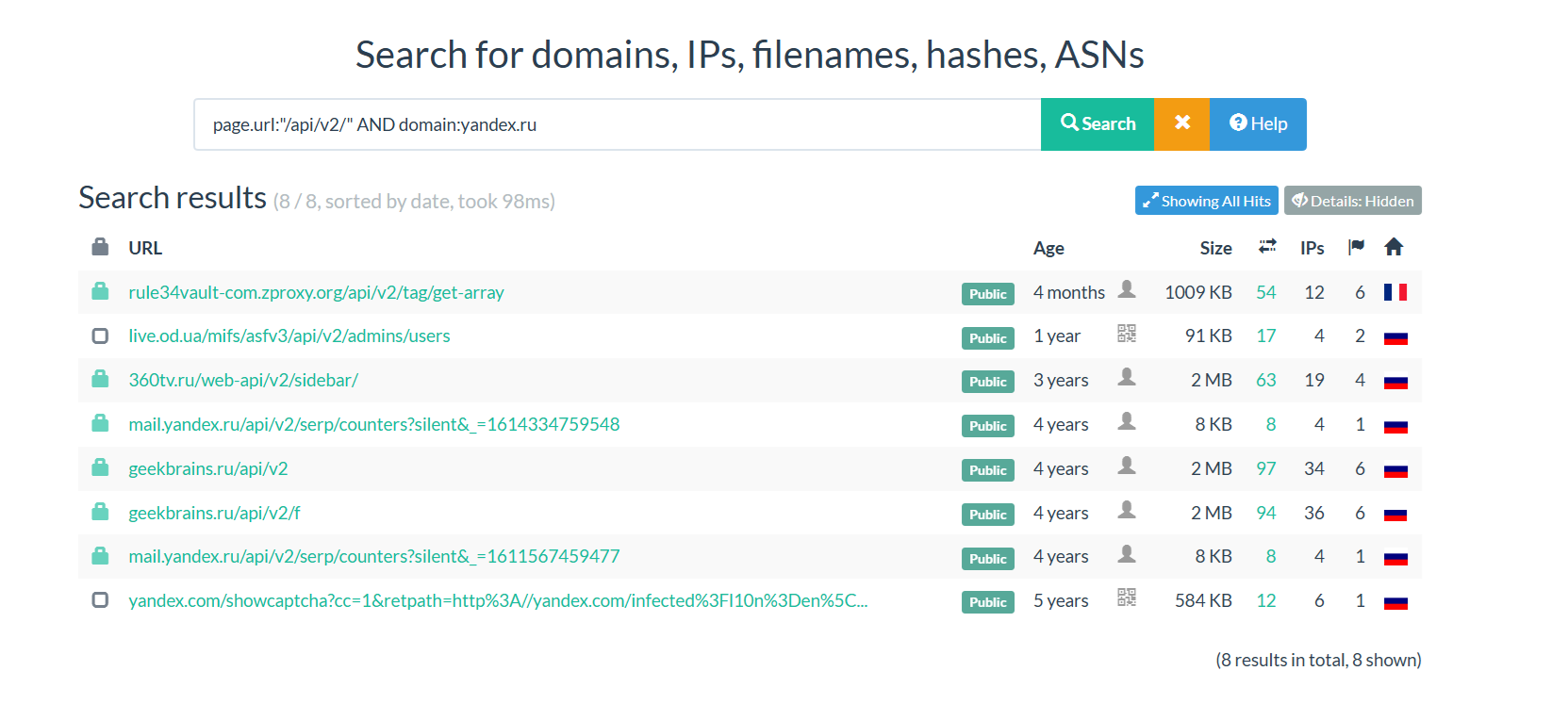
In this example, I search for APIs of yandex.
Query:
1 | |
Censys
| A search engine for internet-facing infrastructure, similar to Shodan and FOFA, but with a stronger focus on TLS certificates, banners, and enterprise asset mapping.
Censys have WebUI and Cli for users. It depends on you—use whichever you’re more comfortable with.
🛠️ Censys Web UI: Basic Search Examples:
🔹 Search by Domain (including subdomains)
1 | |
Or:
1 | |
🔹 Find All Certs Issued to Domain
1 | |
🔹 Find IPs Hosting Domain
1 | |
Or:
1 | |
🔹 Filter by Technology
1 | |
💻 Python: Using Censys CLI for Recon
You can install the Censys CLI by running:
1 | |
1 | |
1 | |
1 | |
| Finds IPs with SSL certs matching *.target.com
Extract Subdomains from Certs:
1 | |
| Use this to collect wildcard subdomains and legacy cert names.
Find Login Pages:
1 | |
Check for Open Redis:
1 | |
Looking for Jenkins Dashboards?
1 | |
Combining CLI Tools for Deep Recon and Content Discovery
Once you’ve mapped your target domains and subdomains, the next phase is to actively extract hidden paths, parameters, endpoints, and secrets. This is where chaining multiple recon tools becomes essential. Instead of relying on a single source, we merge the power of tools like waybackurls, gau, katana, feroxbuster, linkfinder, and gf — allowing us to build a richer and more actionable attack surface.
| 🧠 The goal is not just enumeration but triaging the attack surface for real-world impact.
🧰 Key Tools in This Phase
- Collect archived and historical URLs
- JavaScript-aware crawler that discovers dynamic paths
- Directory brute-forcing
- Filter alive hosts and probe HTTP metadata
- Extract JS endpoints
- Find hardcoded secrets in JS files
- Filter interesting parameters for fuzzing
- Clean and mutate URLs for testing
🚀 Sample Recon Workflow
🔄 Combine and Clean URLs from Passive Sources
1
2
3cat subdomains.txt | waybackurls > wayback.txt
cat subdomains.txt | gau >> wayback.txt
cat wayback.txt | sort -u | uro > clean_urls.txt✅ Probe for Live Endpoints
1
cat clean_urls.txt | httpx -silent -status-code -tech-detect -title > live_urls.txt🧪 Extract JavaScript Endpoints
1
2cat live_urls.txt | grep '\.js' | httpx -silent > js_links.txt
cat js_links.txt | xargs -n1 -P10 -I{} python3 linkfinder.py -i {} -o cli >> js_endpoints.txt🔐 Scan JS for Secrets
1
cat js_links.txt | xargs -n1 -P10 -I{} python3 SecretFinder.py -i {} -o cli >> secrets.txt🧩 Parameter Extraction + Filtering
1
2
3cat clean_urls.txt | grep '=' | gf xss >> xss.txt
cat clean_urls.txt | grep '=' | gf sqli >> sqli.txt
cat clean_urls.txt | grep '=' | gf redirect >> redirect.txt🕷️ Crawling with Katana
1
katana -list subdomains.txt -jc -kf all -o katana.txt🌪️ Directory Bruteforcing
1
ffuf -w wordlist.txt -u https://target.com/FUZZ -t 50 -mc 200,204,403
1 | |
🔥 Passive Recon: Chain of Tools:
🗺️ Domain Enumeration
1 | |
🔥 Filter Hosts in a Target
1 | |
🧾 Screenshot to Save Time
1 | |
🗃️ Wayback + Gau + Uro + Httpx + GF
1 | |
🔍 Find APIs and JS Endpoints from Archived URLs
1 | |
🔐 JS Secrets & Auth Token Discovery
1 | |
In this section, we discuss how to identify and extract sensitive information such as secrets and authentication tokens from JavaScript files. This process is crucial for understanding potential security vulnerabilities within web applications.
🧠 4. Directory and Wordlist Fuzzing from Extracted Paths
1 | |
⚏️ 5. Custom Parameter Discovery + Fuzzing
1 | |
🎯 6. Deep Crawl + JS Extraction with Katana
1 | |
⚡ 7. Live Hosts and Favicon Hashing (Asset Fingerprinting)
1 | |
🔐 Hunting for API Keys
1 | |
Wait, Are We Done? Let’s Go Into More Complex Scenarios
📍 Automating Google Dorking with DorkEye
| DorkEye automates Google dorking, making reconnaissance faster by quickly extracting multiple AWS URLs for analysis.

For example:
1 | |
☁️ Using S3Misconfig for Fast Bucket Enumeration
| S3Misconfig scans a list of URLs for open S3 buckets with listing enabled and saves the results in a user-friendly HTML format for easy review.

📦 Finding S3 Buckets with HTTPX and Nuclei
| You can use the HTTPX command along with the Nuclei tool to quickly identify all S3 buckets across subdomains, saving you significant time in reconnaissance.
1 | |
🌩️ Extracting S3 URLs from JavaScript Files
| Next we’ll use the Katana tool to download JavaScript files from target subdomains and extract S3 URLs using the following grep command:
1 | |
♨️ Using java2s3 Tool to Find S3 URLs in JS Files
| Alternatively, you can use this powerful approach to extract all S3 URLs from JavaScript files of subdomains. First, combine subfinder and HTTPX to generate the final list of subdomains, then run the java2s3 tool for extraction.
1 | |

🗂️ Web Archive Enumeration
| Retrieving Archived URLs via the CDX API
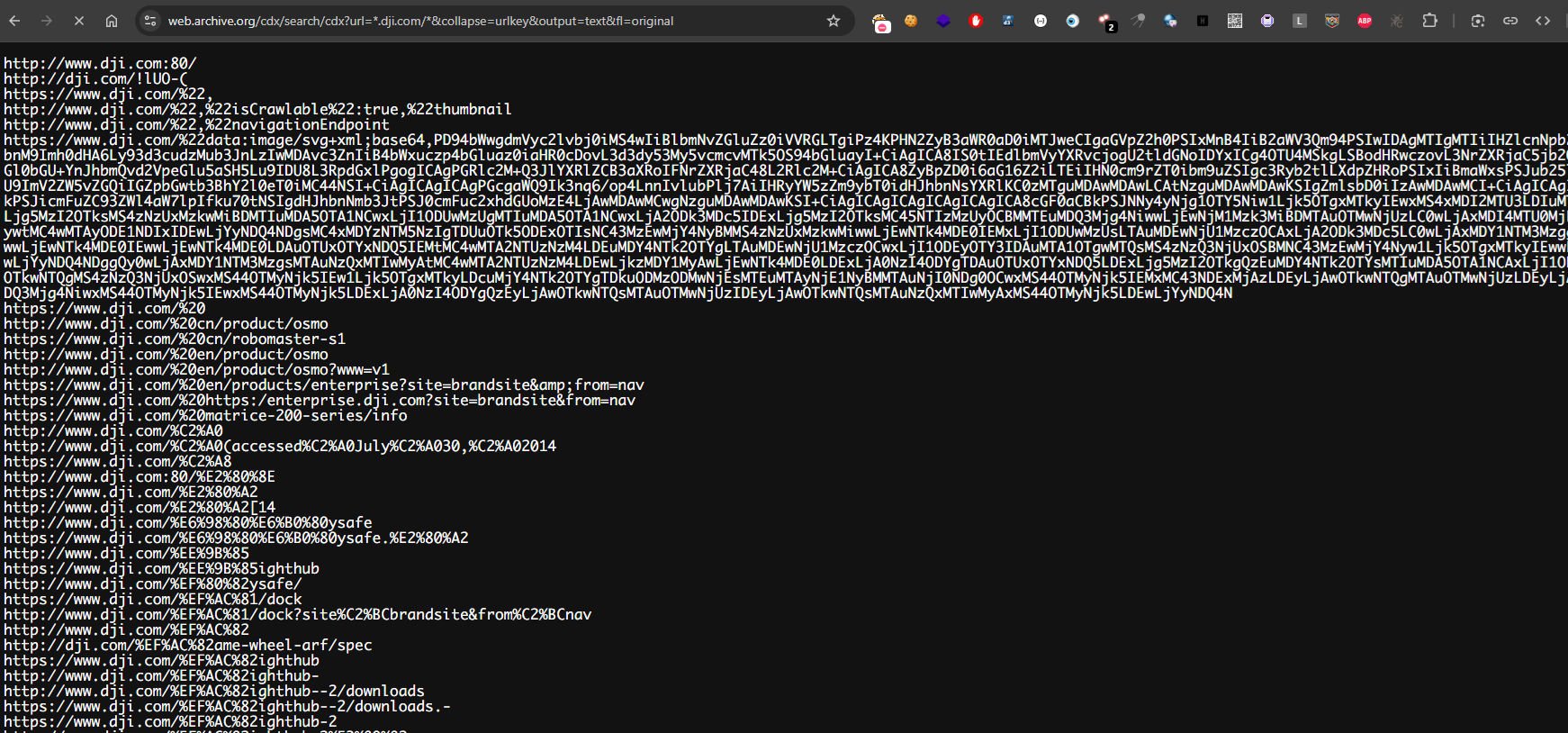
A highly effective approach for passive URL enumeration is leveraging the CDX API API from the Wayback Machine. This API allows you to extract a full list of historical URLs tied to a domain and its subdomains, often revealing endpoints no longer publicly accessible. Here’s a sample command to query it:
1 | |
For example, I use DJI as my target:
📥 Efficient Data Retrieval with cURL
When working with large datasets from the Wayback Machine, browser-based access can be slow or unstable. A more reliable method is to use curl, which enables rapid, scriptable downloading of archive data. Below is a sample command to fetch results efficiently:
1 | |
After running the command, all discovered URLs will be saved in output.txt. You can then use grep or similar tools to filter for email addresses, password patterns, or files with specific extensions.
For example, to identify potentially sensitive files, you can search for URLs ending in juicy extensions such as .env, .bak, .sql, .log, or .json — which often contain credentials, configuration data, or internal information.
1 | |
📦 JavaScript File Collection Using LazyEgg
| Manually identifying and reviewing JavaScript files across a website can be time-consuming. To streamline this, you can use the LazyEgg browser extension — a tool designed to automatically extract .js file URLs from any page you visit.
| Installation:
- Install LazyEgg from the Chrome Web Store.
- Navigate to the target website and refresh the page.
- Click the
LazyEgg extension— it will automatically list allJavaScript fileURLs loaded by the page. - Copy the extracted URLs and paste them into a multi-URL opener extension to open all JS endpoints at once.
- With all scripts loaded, use your browser’s Ctrl+F / Cmd+F to search for sensitive keywords such as:
api,token,password,secret,key,jwt.
| These keywords can help reveal hardcoded credentials, API endpoints, or security misconfigurations that may be valuable during your assessment.
🚀 Active Crawling with Katana
| katana is a fast and flexible web crawler that can automatically discover active endpoints and JavaScript files from a target domain.
You can use it to enumerate all .js files for further analysis:
1 | |
jsenables JavaScript file extraction.kfall enables all known input collectors.silentdisables extra output for cleaner results.
The output file js_links.txt will contain all discovered JavaScript URLs.
🐌 Passive Crawling with GAU
1 | |
🐛 Refining Results with HTTPX
1 | |
The title and placeholder are already clear, so no changes are needed.
📝 Extracting Sensitive Information with JSLeak Tool
| With a refined list of JavaScript endpoints, the next step is to extract hidden links and sensitive information.

jsleaks: A tool for analyzing JavaScript files to detect potential sensitive information or leaks.
1 | |
🌐 Recon with Nuclei and Look for Possible Vulnerabilities
1 | |
💎 Another Subdomain Enumeration but with Custom Wordlists
| Find subdomains others miss by brute-forcing permutations.
Tools: Amass, altdns, httpx
1 | |
📚 Waybackurls + GF Patterns for Hidden Endpoints
Extract URLs with vulnerable parameters from archived data.
Tools: waybackurls, gf, uro.
1 | |
⛏️ Parameter Mining with Arjun
| Discover Hidden HTTP Parameters
Tools: Arjun and ParamSpider
1 | |
🛢️ Find Live Subdomains
1 | |
📡 Scan for Admin Panels
1 | |
Scan for known admin panel URLs to identify potential vulnerabilities.
📤 Open Redirect Testing with gau
1 | |
Combining passive sources like archived URLs with active scanning tools such as crawlers, JavaScript analyzers, and fuzzers enables a more comprehensive and efficient discovery of hidden endpoints, sensitive data, and misconfigurations that are often overlooked in traditional reconnaissance.
Conclusion
By automating and chaining these reconnaissance tools into a unified workflow, security practitioners can drastically reduce manual effort while increasing the depth, speed, and precision of vulnerability discovery in modern web applications.
If you liked my article, please leave a respect on my profile at HackTheBox: Profile
